Why Use Custom Fields?
- Personalize communication.
- Adapt to specific needs.
- Gain better insights.
- Organize records efficiently.
How to Create Custom Fields
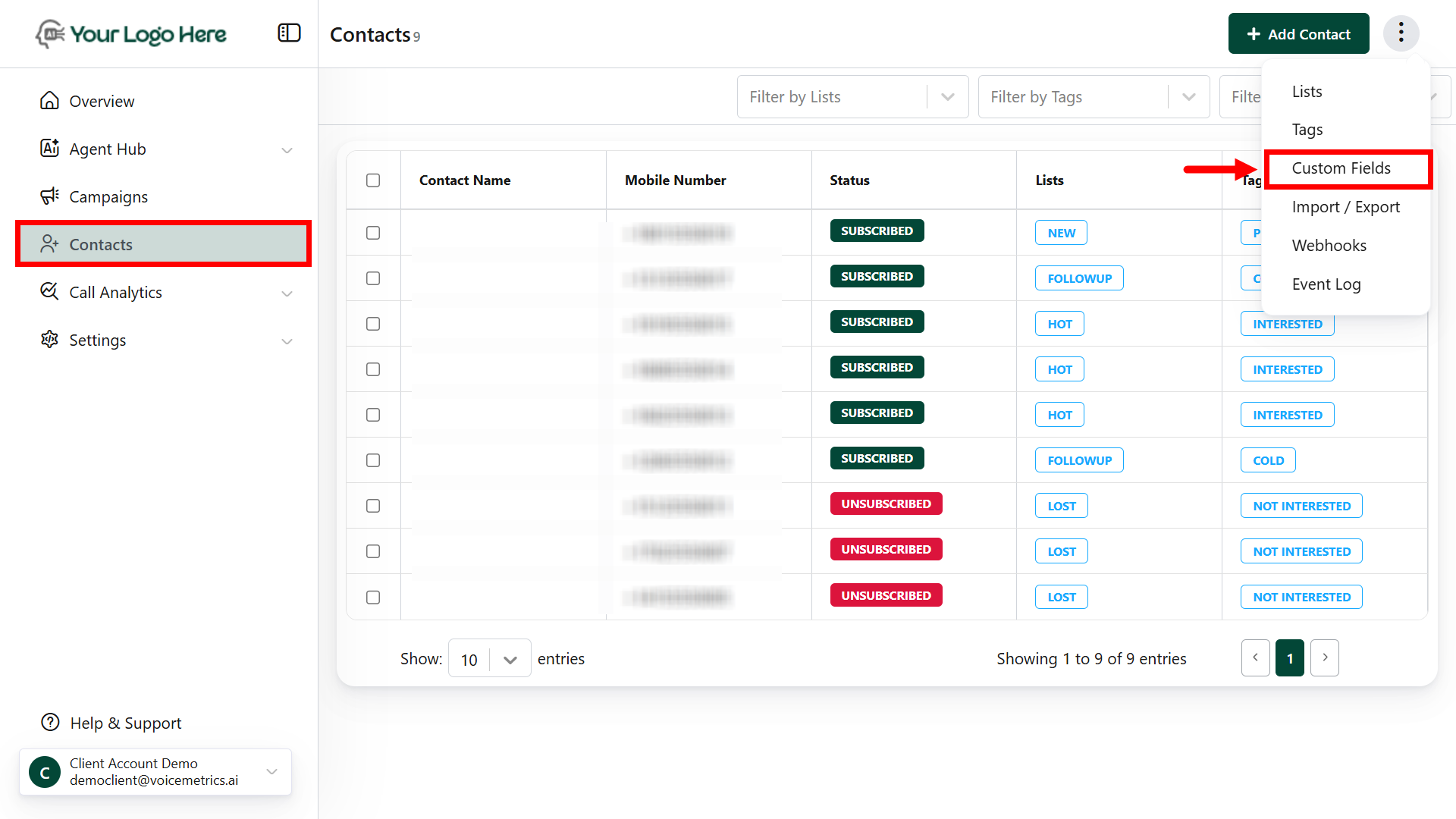
- Go to Contacts > (⋮) > tap Custom Fields
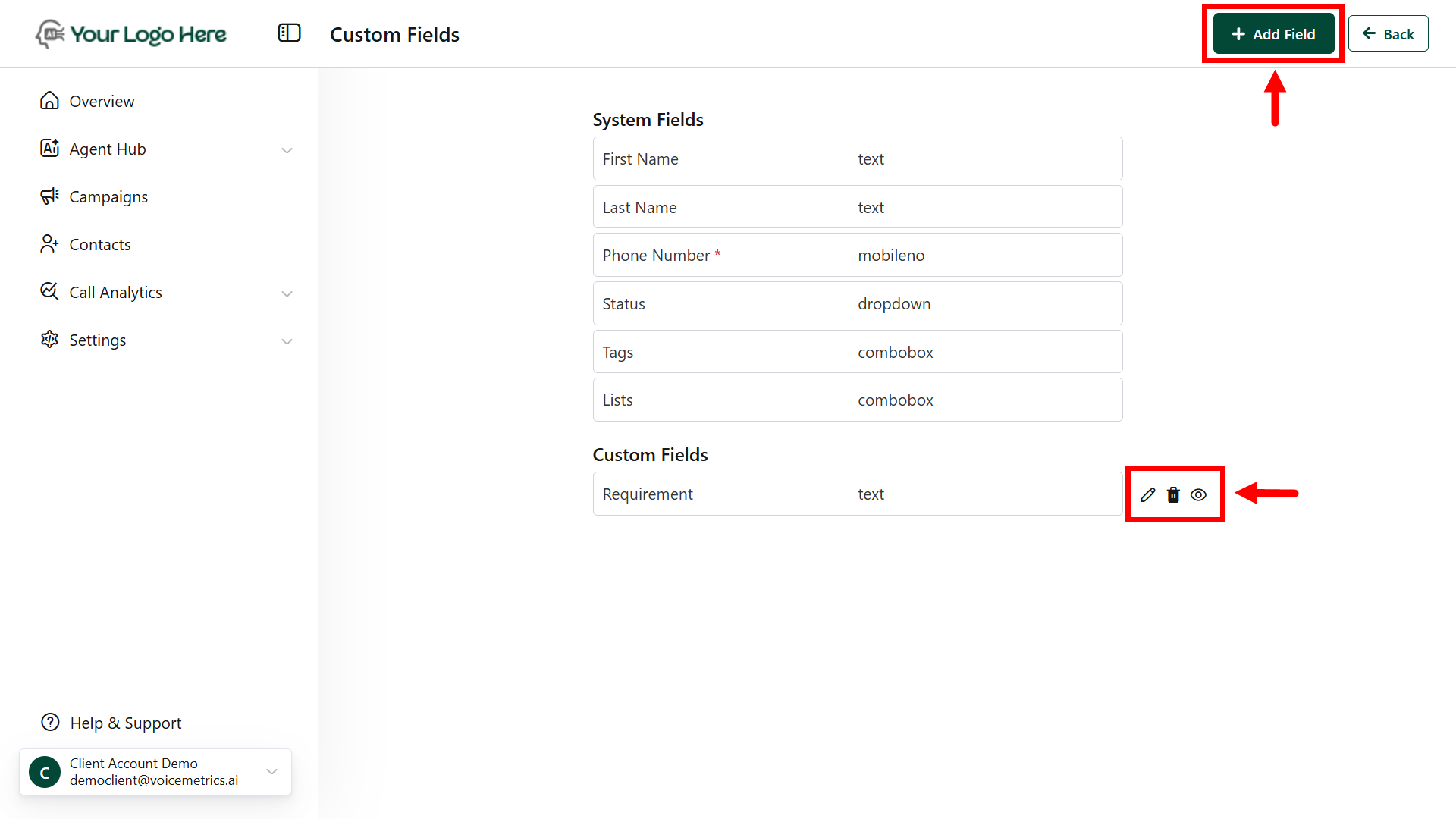
- Click Add Field and name it.
- Choose a field type (e.g., text, dropdown).
- Mark as mandatory (optional) and click Save.
System Fields can’t be edited, but Custom Fields can be hidden or modified as needed.