Overview
Web Widgets allow you to embed a “Click-to-Call” feature directly on your website. When clicked, the widget initiates a real-time voice conversation between your site visitor and your AI Agent. This provides a fully automated, conversational experience for users while helping businesses capture, qualify, and convert leads effortlessly.- Fully white-labeled – runs under your brand, logo, and messaging
- 24/7 automated engagement without needing a live agent
- Integrated with CRM and calendar systems for seamless follow-up
Use Cases
Web Widgets are ideal for:- Marketing Landing Pages – Let visitors instantly speak to your AI Sales Assistant.
- Service-Based Websites – Capture inquiries or bookings directly from your homepage.
- Appointment-Driven Businesses – Instantly qualify and book appointments via AI.
- Lead Capture Funnels – Replace static lead forms with interactive voice conversations.
Creating a Web Widget – Step-by-Step
Follow the steps below to create and deploy a custom web widget:1
Navigate to Web Widgets Menu
- Go to your client account > Settings > Web Widgets tab.
2
Click “Create Widget”
- Click the Create Widget button to begin setup.
3
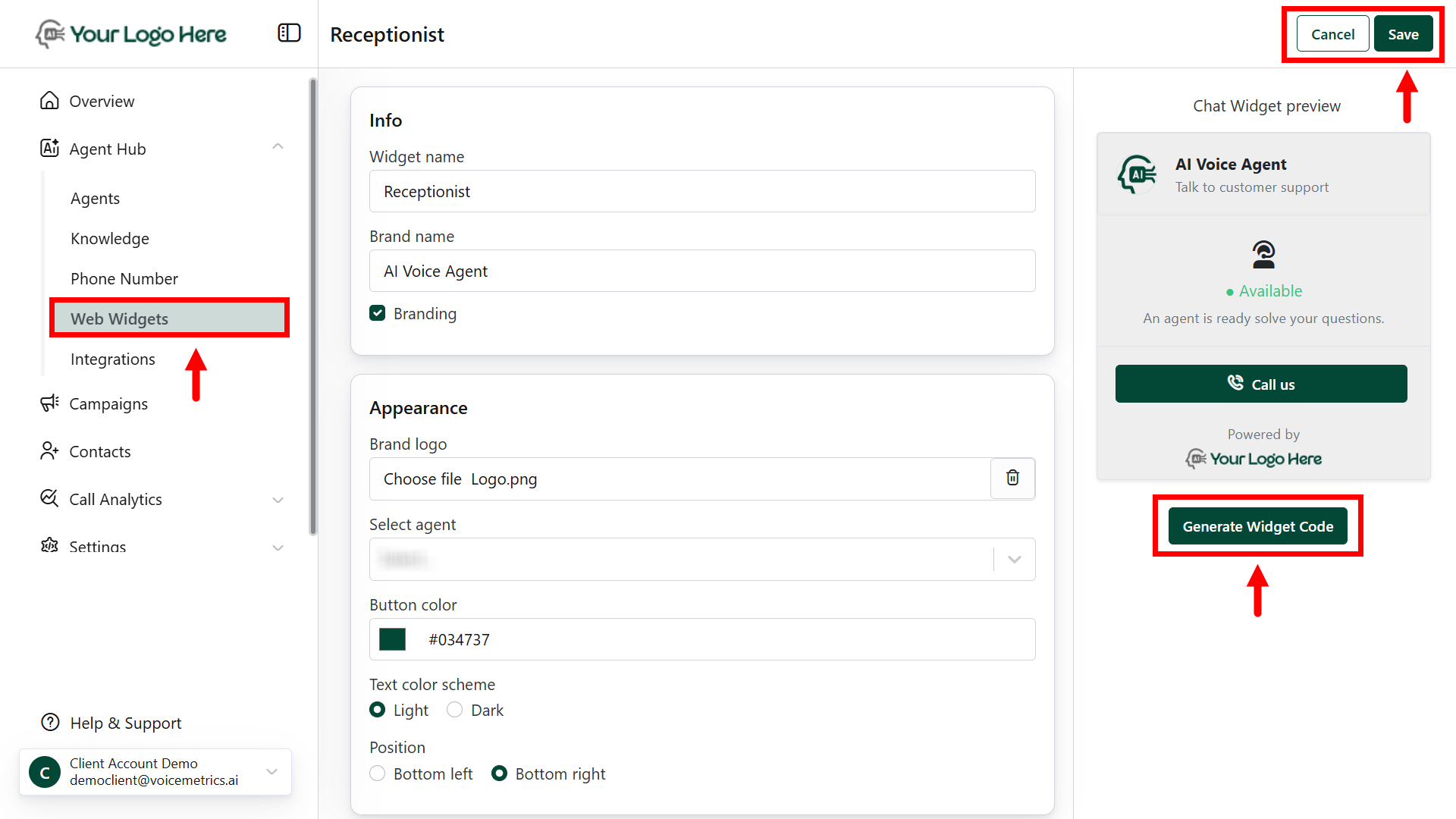
Fill in Widget Details
- Widget Name – e.g., “Sales Widget”
- Brand Display Name – Name shown in the widget interface
- Logo – Upload a logo to appear on the widget
- Display Message – Custom welcome message (e.g., “Talk to our Sales Agent”)
- CTA Text – Call-to-action button label (e.g., “Start Voice Chat”)
4
Assign Agent
- Assign the appropriate AI agent who will handle the web calls.
5
Deploy the Widget
- Go to Agent > Deploy Tab
- Select the created widget and assign it to the agent
- Copy the embed code and place it on your website or landing page.