

How to Connect Your Stripe Account
Steps:1
Generate API Keys in Stripe
- Log in to your Stripe Account.
- Navigate to API Settings and generate your Publishable Key and Secret Key.
- Refer to: How to Generate API Keys in Stripe.
- Ensure you use live API keys for real transactions.
2
Connect Stripe in the Agency Panel
- Log in to your Agency Account.
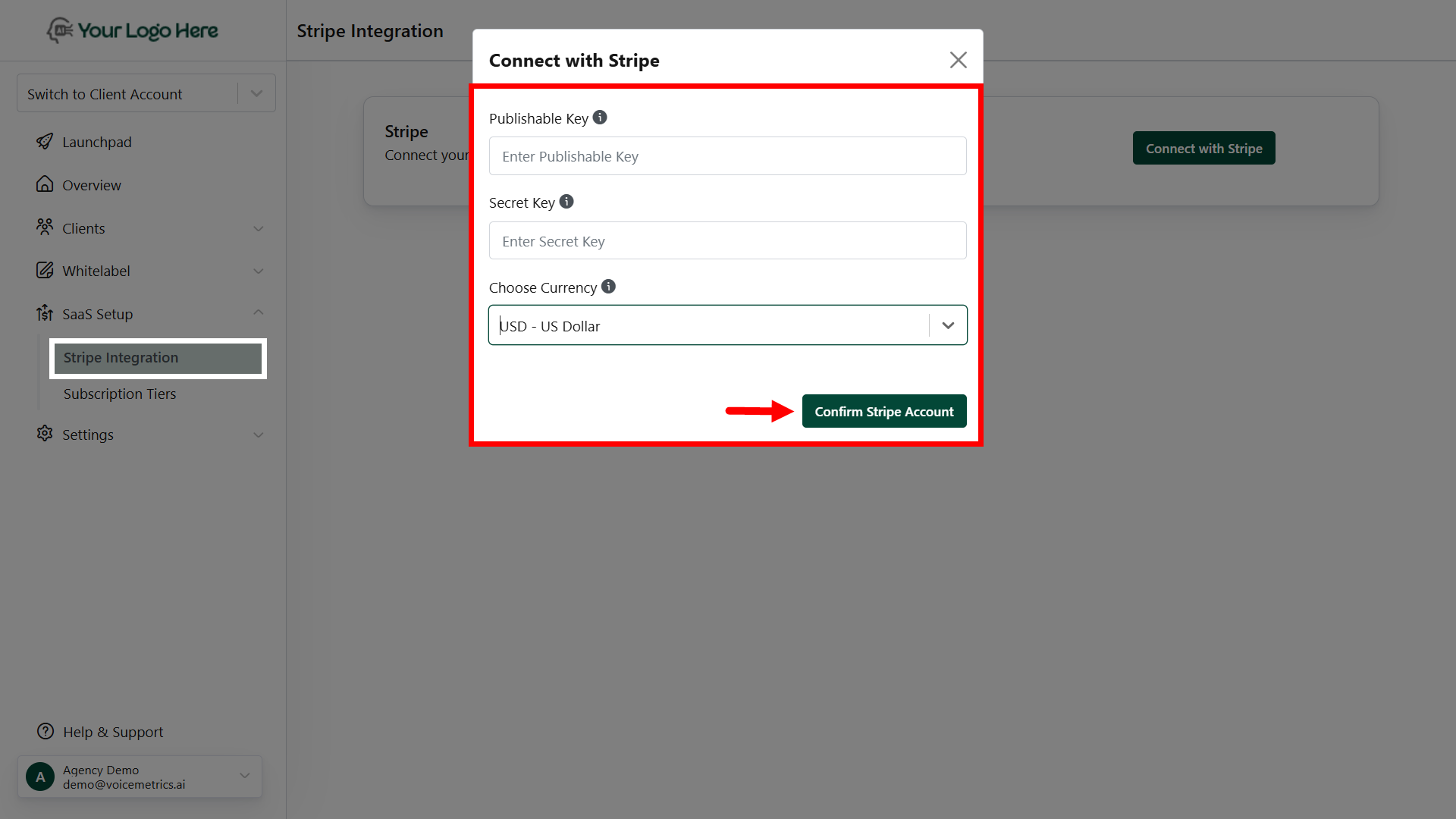
- Go to SaaS Setup > Stripe Integration.
- Click Connect with Stripe and input the Publish Key and Secret Key obtained
- Select your desired Currency Type from the dropdown menu.
- Click Save to complete the integration.
Ensure your Stripe account is active and properly configured.
Double-check API keys to avoid integration errors.