How It Works When a call ends, the system will send a POST request to the provided server URL with complete call information. This includes the call summary, extracted data, and detailed metadata — ready to be consumed by any third-party app.
Setup Instructions Create the Action
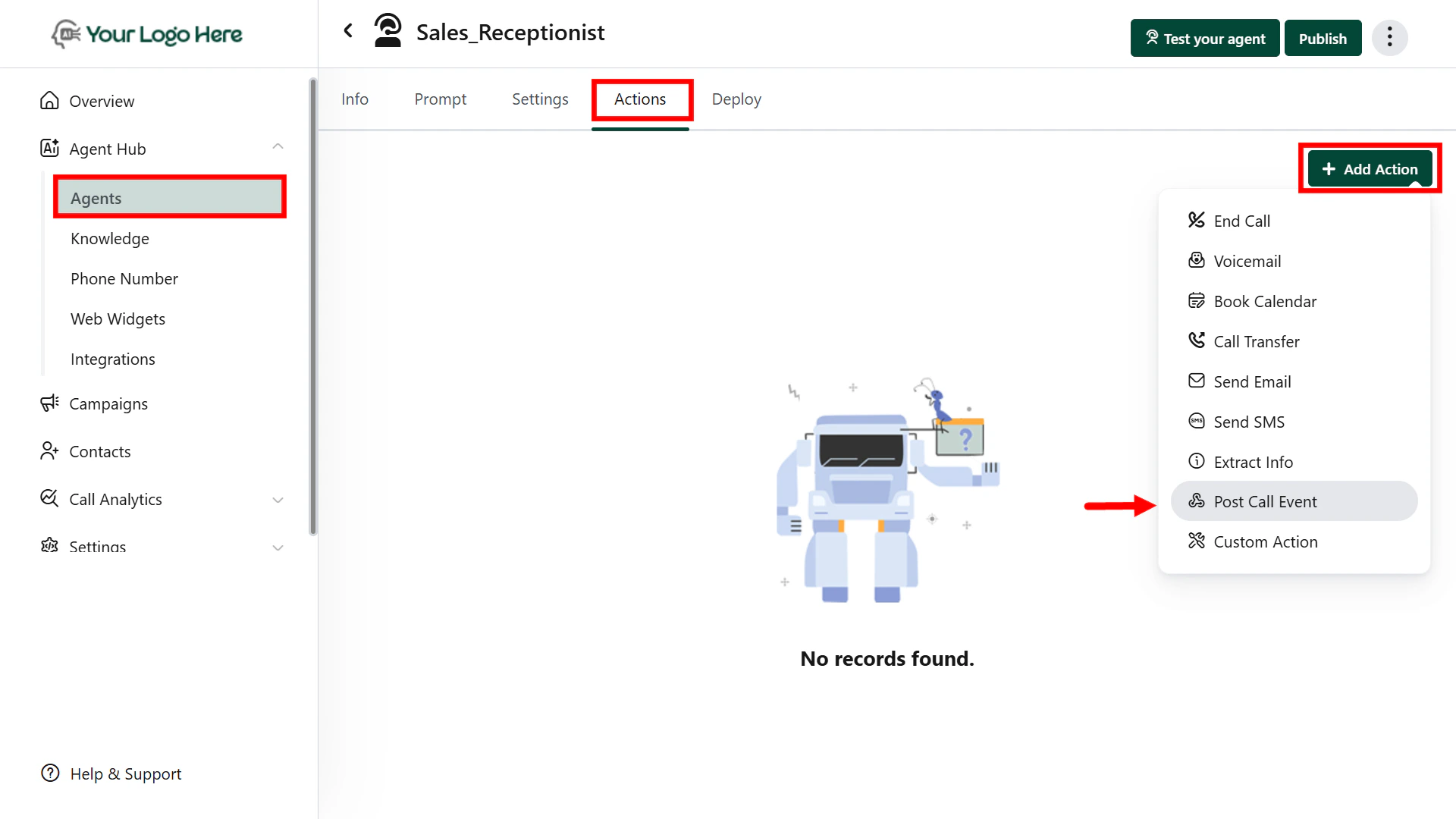
Go to Actions → Select Post Call Event
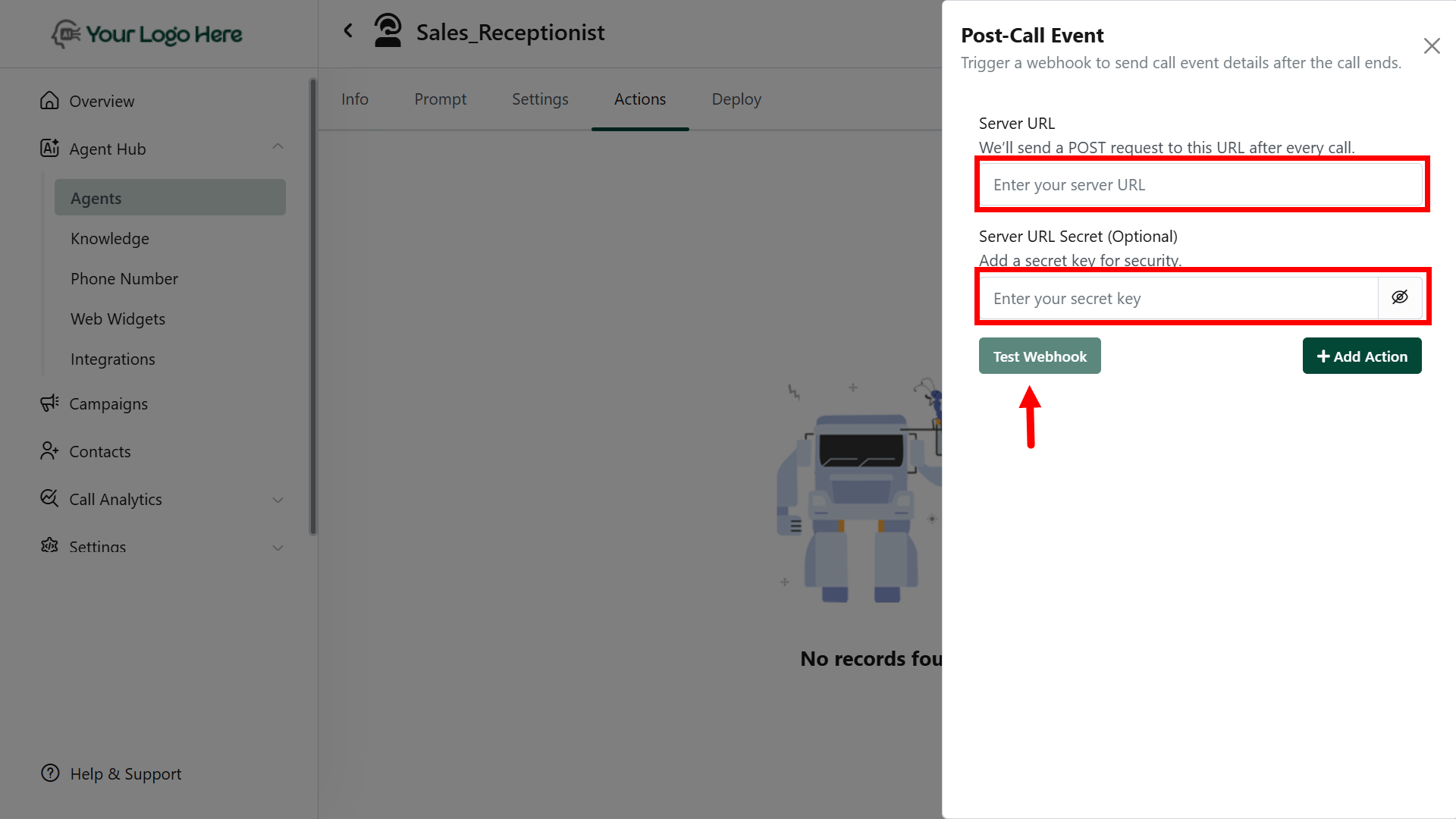
Add your Webhook URL (the server endpoint that will receive the data)
Click Save.
Webhook Payload Includes: The following fields are automatically included in the POST request:
Start Time End Time Duration Call Status (Completed, Missed, etc.)Call Type (Inbound / Outbound)Agent Name Agent Phone Number Lead Phone Number Goal Status (Achieved / Not Achieved)Call Rating (e.g., 1–5 stars or tags)Call Sentiment (Positive / Neutral / Negative)Ended Reason (e.g,. user hang-up, agent transfer)Call Summary (Auto-generated or defined by prompt)Extracted Info (via #Extract_Info action)Full Transcript (Complete conversation log)
Make sure your endpoint is ready to receive JSON payloads and handles retries if needed.
You can connect the Send Post Call Event action to any platform that supports webhooks or APIs. Popular use cases include:
CRM Integration: Marketing Tools: Google Sheets or Databases:
To achieve this, you can:
Use tools like Zapier /Make.com /N8N as middleware
Point the webhook URL to a backend server/script that routes the data to your system
Use Google Apps Script to auto-fill Sheets from webhook payloads
Customize the call data structure on your server to match the target platform’s API format.
Best Practices
Use this action to sync call data with CRMs, Google Sheets, marketing tools, or custom dashboards
Combine with #Extract_Info for structured lead data
Ensure endpoint response is fast and returns a 200 OK status to avoid retries