> ## Documentation Index
> Fetch the complete documentation index at: https://docs.voicemetrics.ai/llms.txt
> Use this file to discover all available pages before exploring further.
# Import Contacts
> Importing Contacts simplifies customer data integration and enables efficient management. Use a CSV file to seamlessly upload contacts, organize them with lists and tags, and streamline communication for better results.
## **Before You Begin**
Ensure your CSV file meets the following criteria
Phone numbers must include a **country code with a plus sign** (+), without spaces or dashes (e.g., +14158516395).
## **Steps to Import Contacts**
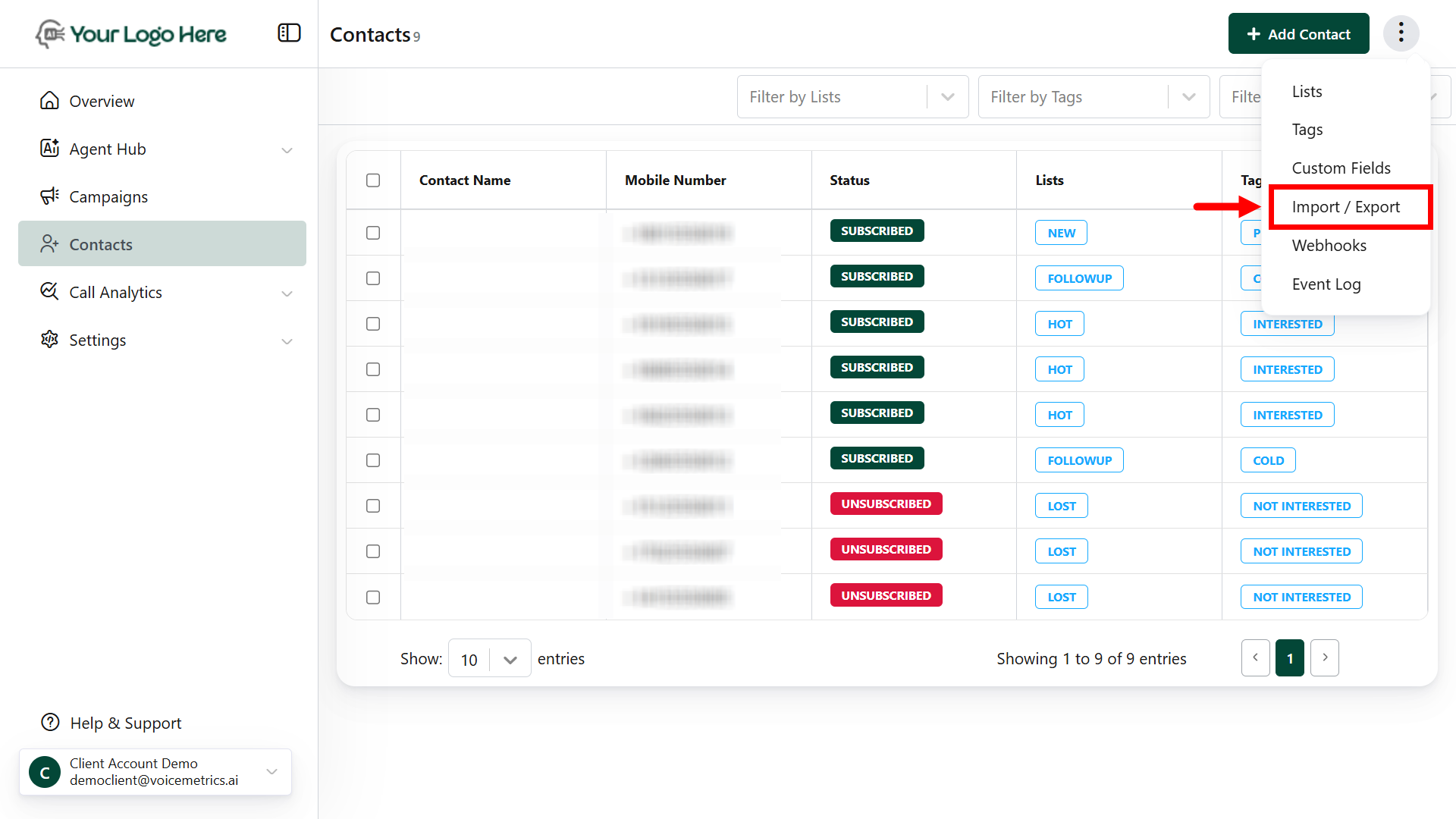
* Go to the **Contacts** section.
* Click the **Import/Export** button in the top-right corner (tap three dots).
 * Select **Choose a CSV File** and upload your file.
* Ensure your CSV file meets the following criteria: phone numbers must include a country code with a plus sign (+), without spaces or dashes (e.g., +14158516395).
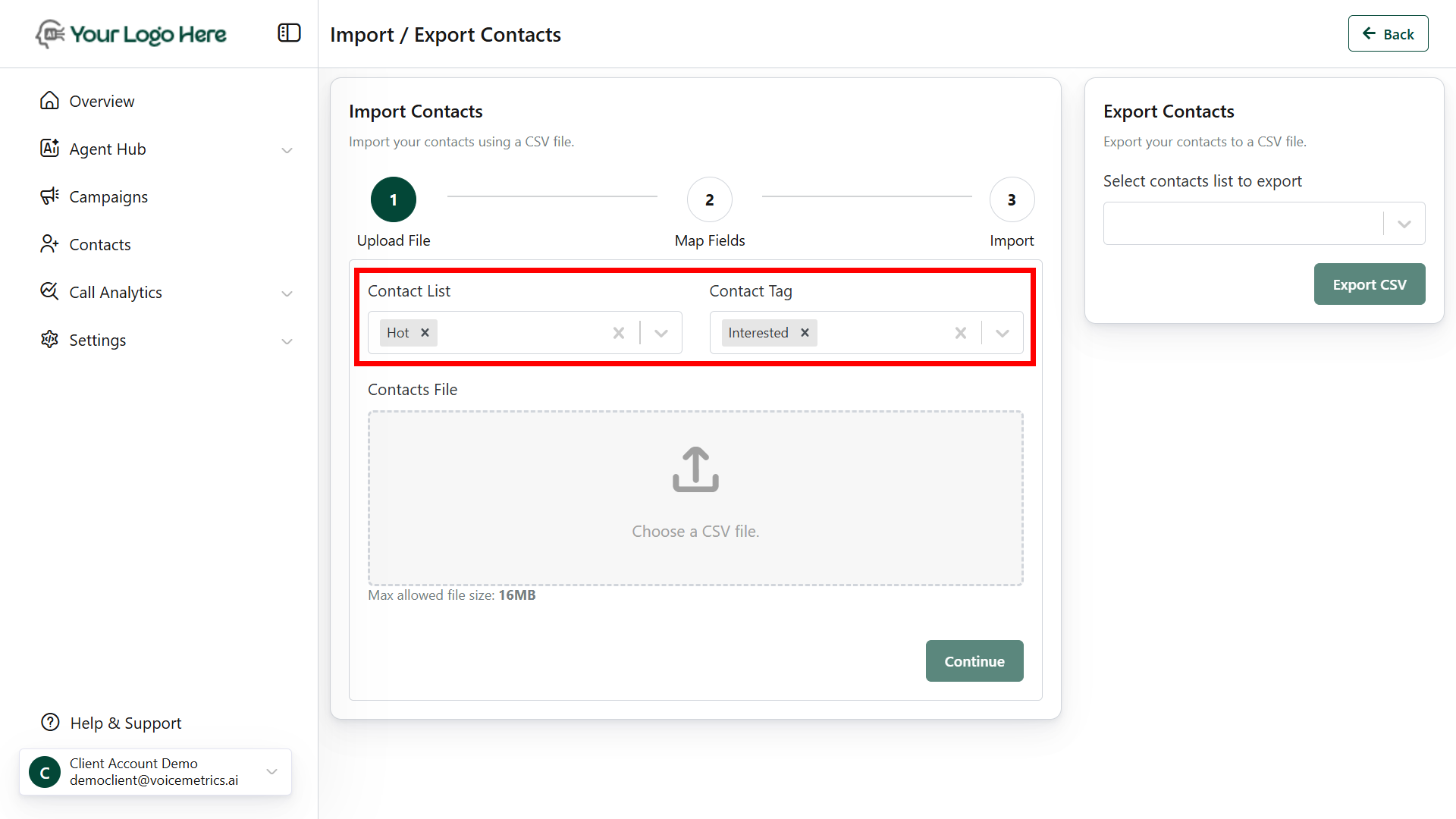
* Choose or create a **list** and **tag** for the contacts.
* Select **Choose a CSV File** and upload your file.
* Ensure your CSV file meets the following criteria: phone numbers must include a country code with a plus sign (+), without spaces or dashes (e.g., +14158516395).
* Choose or create a **list** and **tag** for the contacts.
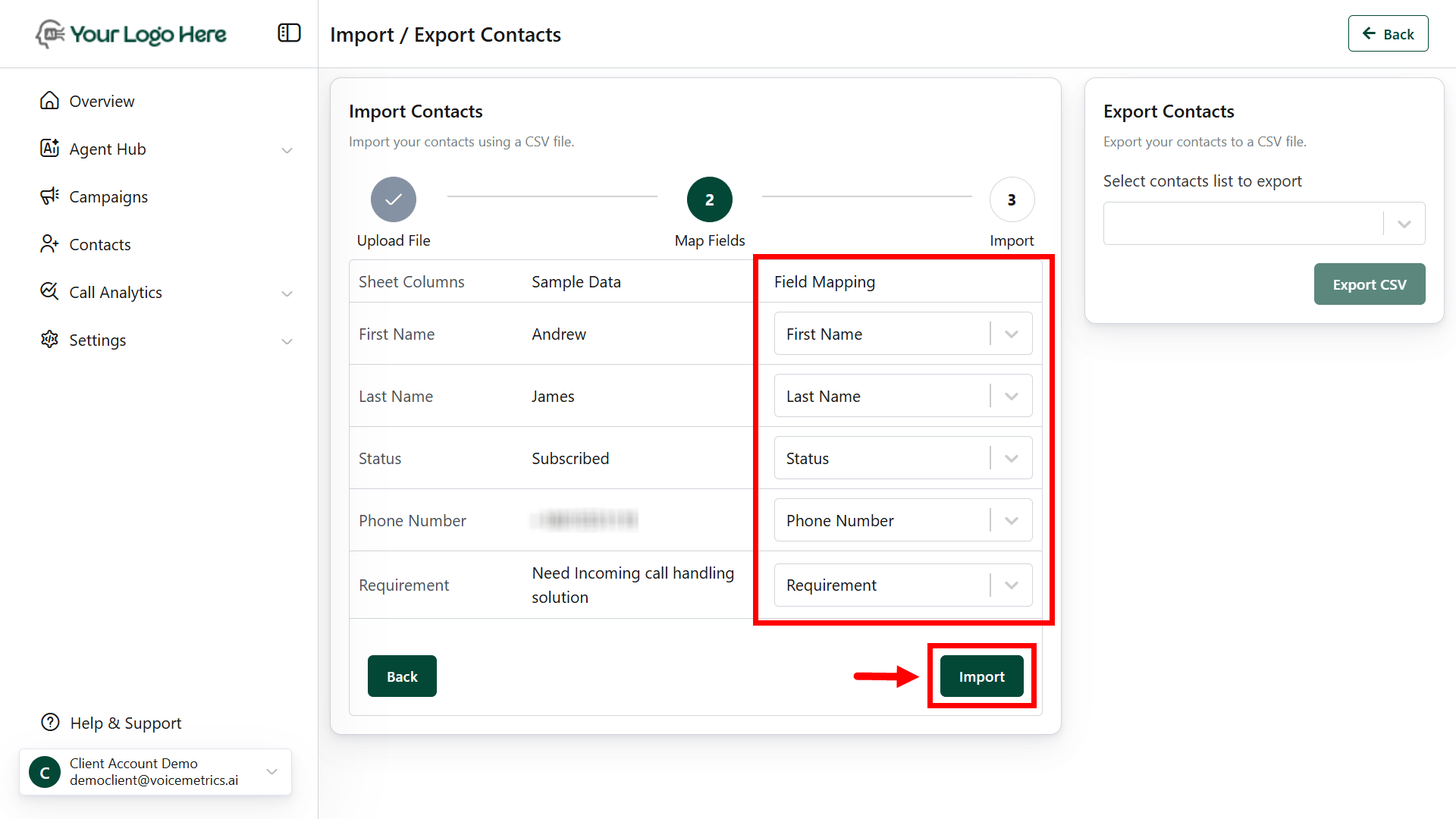
 * **Match CSV columns** (e.g., Name, Phone) to system fields.
* Click **Import** to upload contacts.
* **Match CSV columns** (e.g., Name, Phone) to system fields.
* Click **Import** to upload contacts.
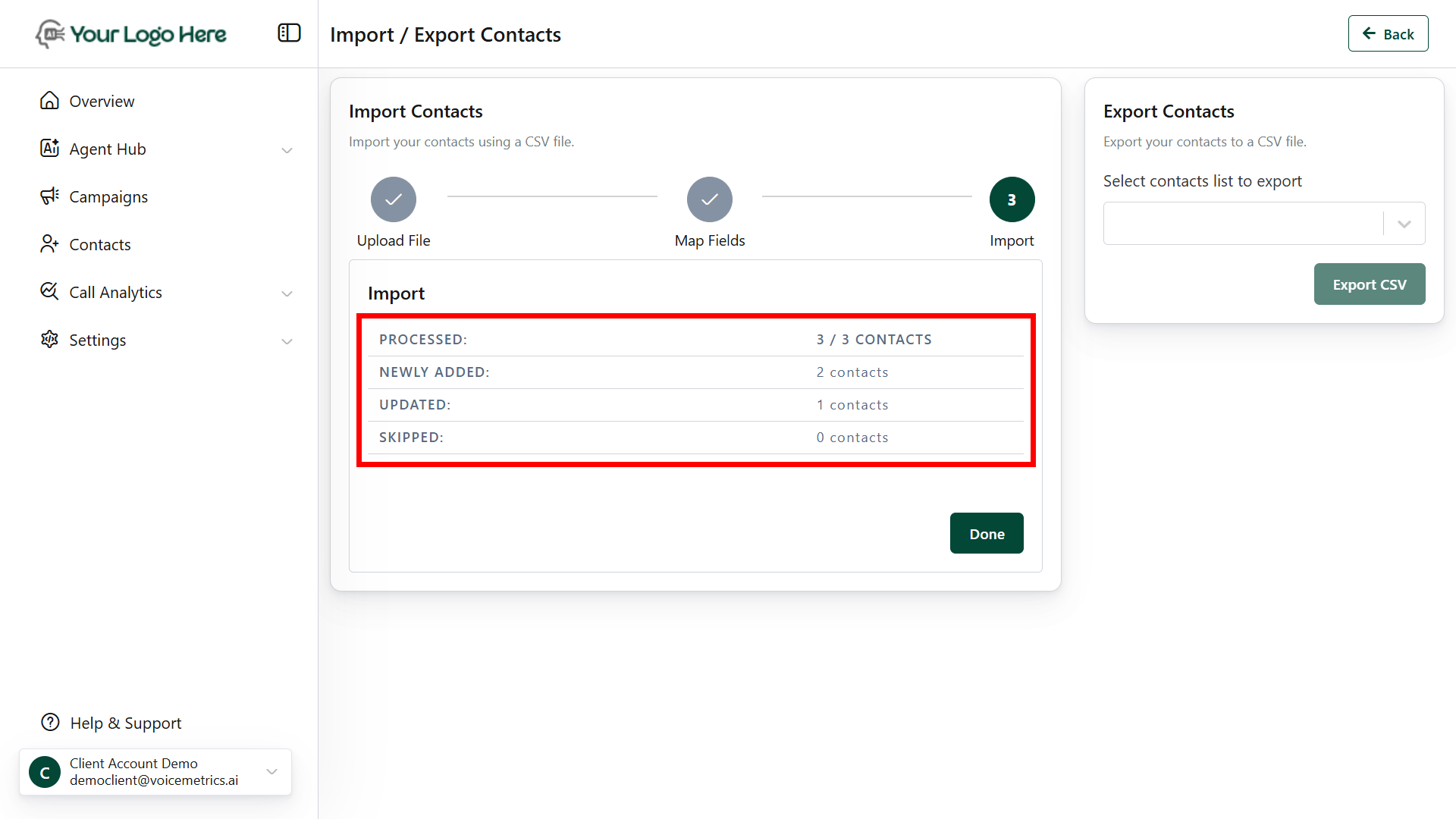
 * A **success** message will confirm the import.