> ## Documentation Index
> Fetch the complete documentation index at: https://docs.voicemetrics.ai/llms.txt
> Use this file to discover all available pages before exploring further.
# Inbound Web Calls
> Inbound Web Calls allow visitors to start a real-time voice conversation with your AI Agent directly from a website or landing page, without dialing a number. It’s the fastest way to capture contacts, qualify them, and schedule appointments.
## **How It Works**
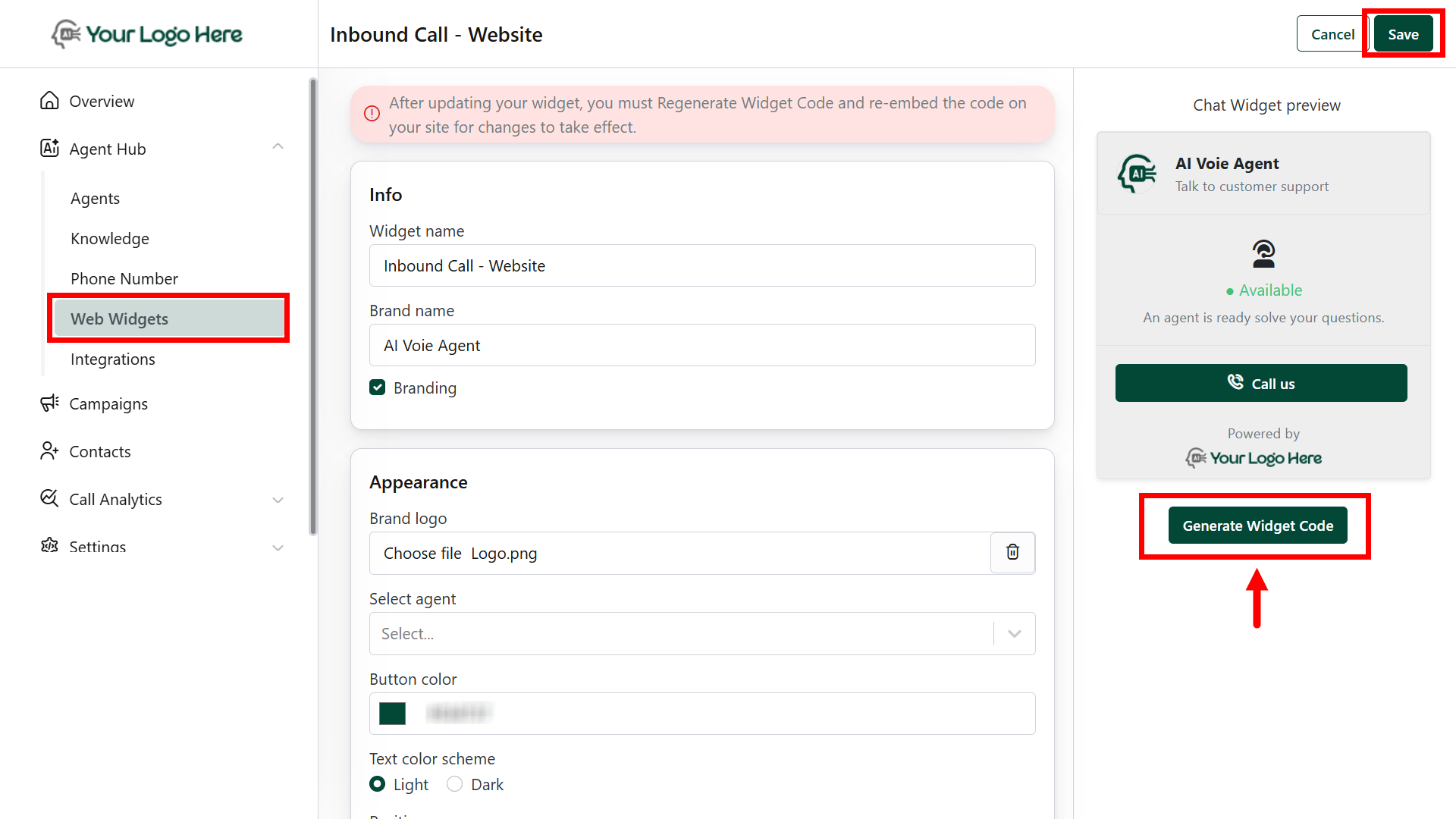
1. **Create a Web Widget**
* Go to **Web Widgets** under the Agency Hub
* Click **Create Widget**
* Configure:
* Widget Name
* Branding (logo, colors, welcome message)
* Call-to-action text
2. **Deploy the Widget**
* Copy the embed code
* Paste it into your website, landing page, or funnel builder
* Once live, visitors will see a “Click to Call” or “Talk to Assistant” button
3. **Start the Conversation**
* When a visitor clicks the widget, a voice call is initiated with your AI Agent
* The agent engages, asks qualifying questions, and guides the caller based on your configured prompt
4. **After the Call**
* AI uses #Extract\_Info to collect details like name, email, and interest level
* Creates or updates leads in your CRM
* Uses #Book\_Calendar to schedule appointments
* Stores full **call log**, **summary**, and **transcript** in the **Call History** tab.
 ## **Benefits**
* No phone number required — web-based calling
* Converts passive website traffic into qualified leads
* Works great with landing pages, offer pages, and ad funnels
* Available 24/7 with no human involvement
The widget must be deployed in a **client-owned** website or page
Use **different widgets** for different use cases (sales, support, booking)
Ensure the agent has appropriate actions set up (e.g., #Extract\_Info, #Book\_Calendar, #Send\_Post\_Call\_Event)
## **Benefits**
* No phone number required — web-based calling
* Converts passive website traffic into qualified leads
* Works great with landing pages, offer pages, and ad funnels
* Available 24/7 with no human involvement
The widget must be deployed in a **client-owned** website or page
Use **different widgets** for different use cases (sales, support, booking)
Ensure the agent has appropriate actions set up (e.g., #Extract\_Info, #Book\_Calendar, #Send\_Post\_Call\_Event)