> ## Documentation Index
> Fetch the complete documentation index at: https://docs.voicemetrics.ai/llms.txt
> Use this file to discover all available pages before exploring further.
# Inbound Phone Calls
> Handling inbound phone calls is easy and fully automated. Once your agent is connected to a phone number, the AI can instantly answer incoming calls, qualify leads, extract relevant data, and even book appointments — all without human intervention.
## **How It Works**
1. **Create an AI Agent**\
Build or import your agent and configure its prompts and actions.
2. **Connect a Phone Number**
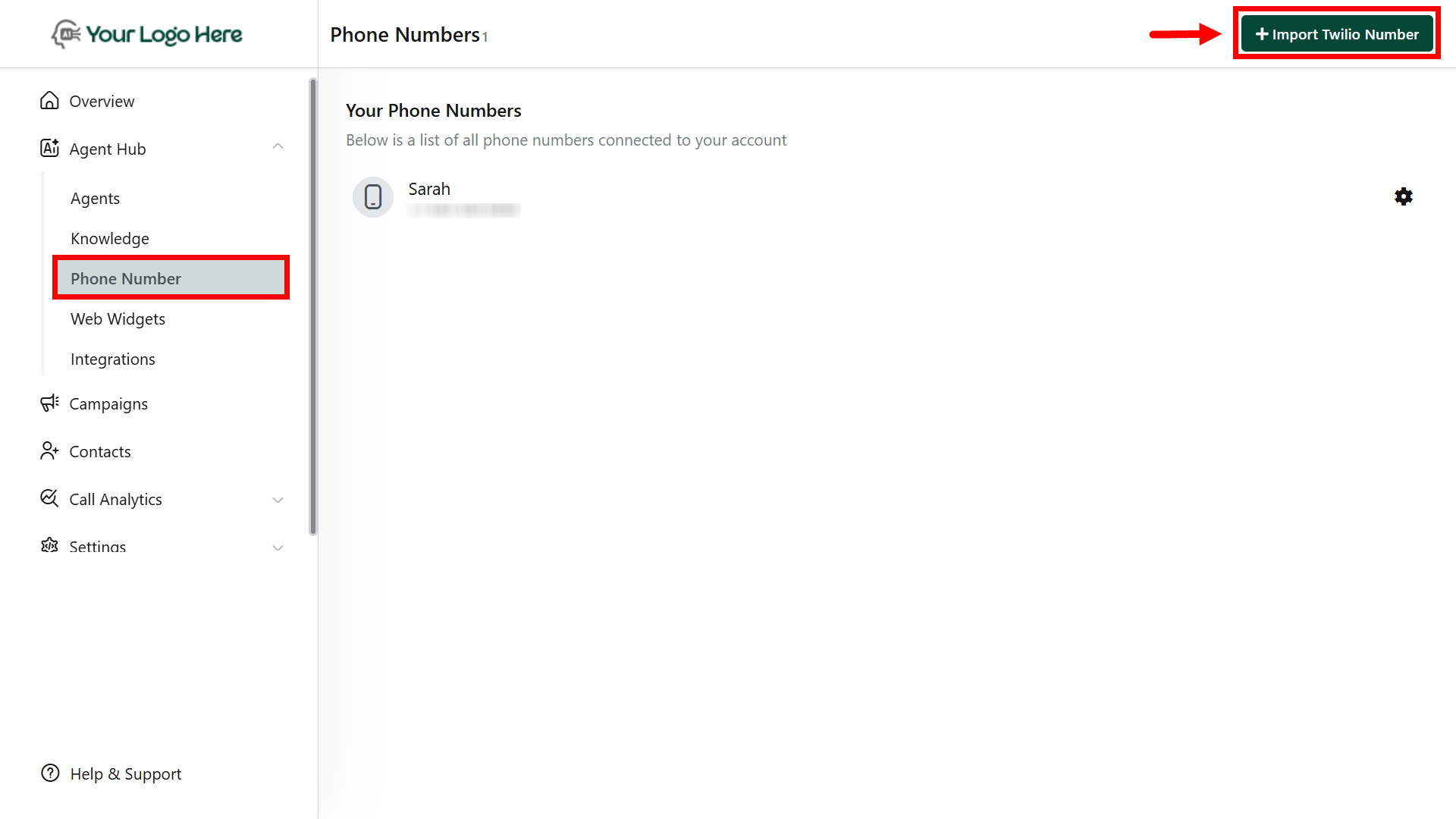
* Navigate to the **Phone Numbers** section
* Import a number from **Twilio**
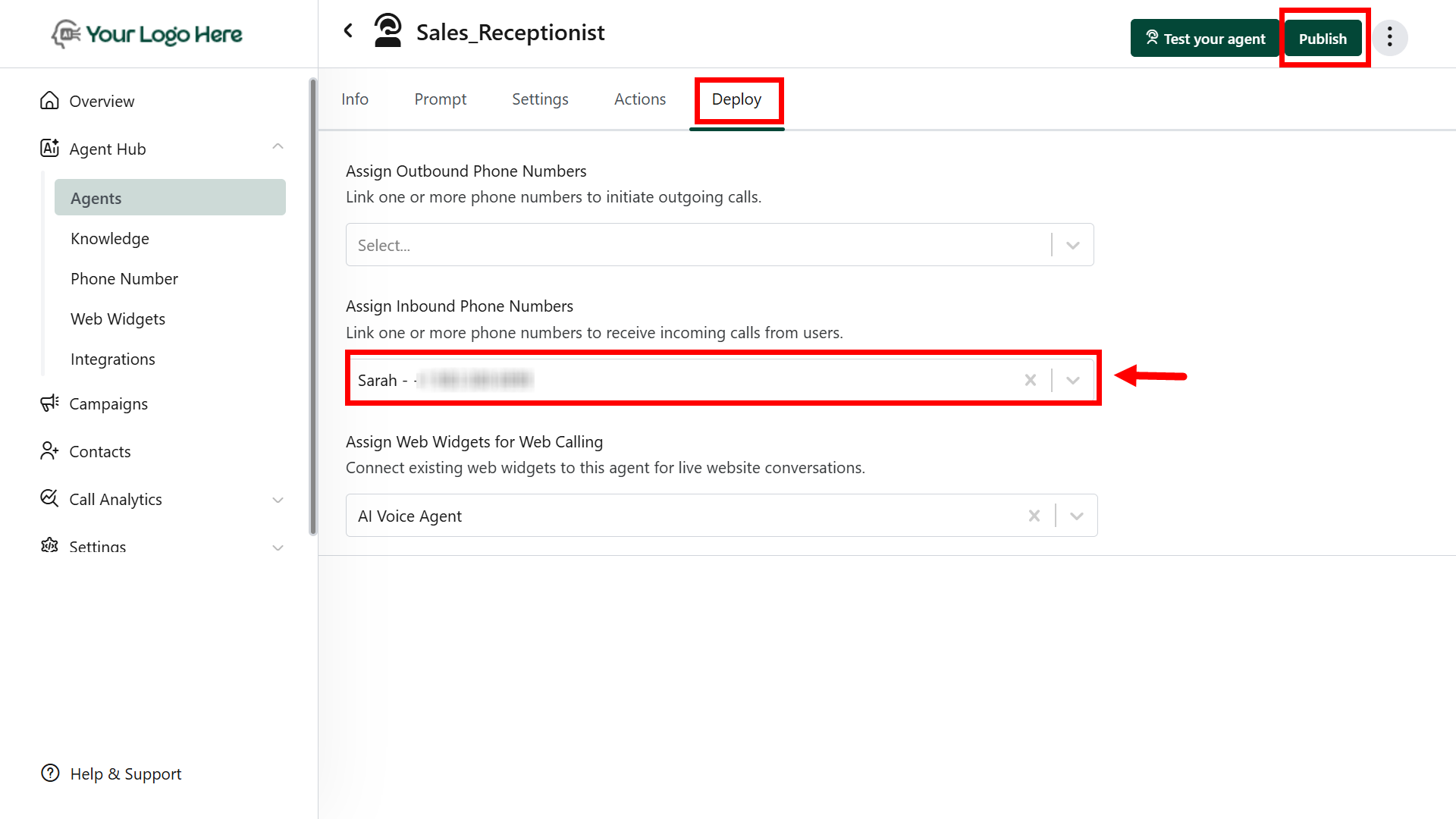
* Assign the number to your agent in the **Deploy** tab under agent settings.
 3. **Start Receiving Calls**
* The AI will automatically handle all incoming calls on the connected number
* It will greet the caller, ask predefined questions, and complete the conversation
4. **After the Call**
* **Extract information** using the #Extract\_Info action
* \*\*Create or update \*\*contacts in your connected CRM
* **Auto-book calendar appointments** via tools like Google Calendar, GHL, or [Cal.com](http://Cal.com)
* Store call logs, summaries, and transcripts under **Conversation.**
3. **Start Receiving Calls**
* The AI will automatically handle all incoming calls on the connected number
* It will greet the caller, ask predefined questions, and complete the conversation
4. **After the Call**
* **Extract information** using the #Extract\_Info action
* \*\*Create or update \*\*contacts in your connected CRM
* **Auto-book calendar appointments** via tools like Google Calendar, GHL, or [Cal.com](http://Cal.com)
* Store call logs, summaries, and transcripts under **Conversation.**
 **Important**
Only phone numbers imported from **Twilio** are currently supported.
Ensure the number is correctly **assigned** to the agent for the inbound calls to work
Make sure **actions** like #Extract\_Info, #Book\_Calendar, or #Send\_Post\_Call\_Event are configured to complete the workflow
**Important**
Only phone numbers imported from **Twilio** are currently supported.
Ensure the number is correctly **assigned** to the agent for the inbound calls to work
Make sure **actions** like #Extract\_Info, #Book\_Calendar, or #Send\_Post\_Call\_Event are configured to complete the workflow