> ## Documentation Index
> Fetch the complete documentation index at: https://docs.voicemetrics.ai/llms.txt
> Use this file to discover all available pages before exploring further.
# Import Phone Numbers
> Easily bring in your existing phone numbers from Twilio to enable outbound and inbound calling for your agents.
## **Step-by-Step Guide to Importing Phone Numbers**
Learn how to import phone numbers effortlessly. Follow step-by-step instructions to streamline contact management and optimize communication workflows.
This feature is **only available for Agency users**, not for client app users.
Make sure to **enable Agency View** from the footer of the client account menu to access this functionality.
## **Steps to Import Phone Numbers**
1. Go to the **Client Account** (with Agency View enabled).
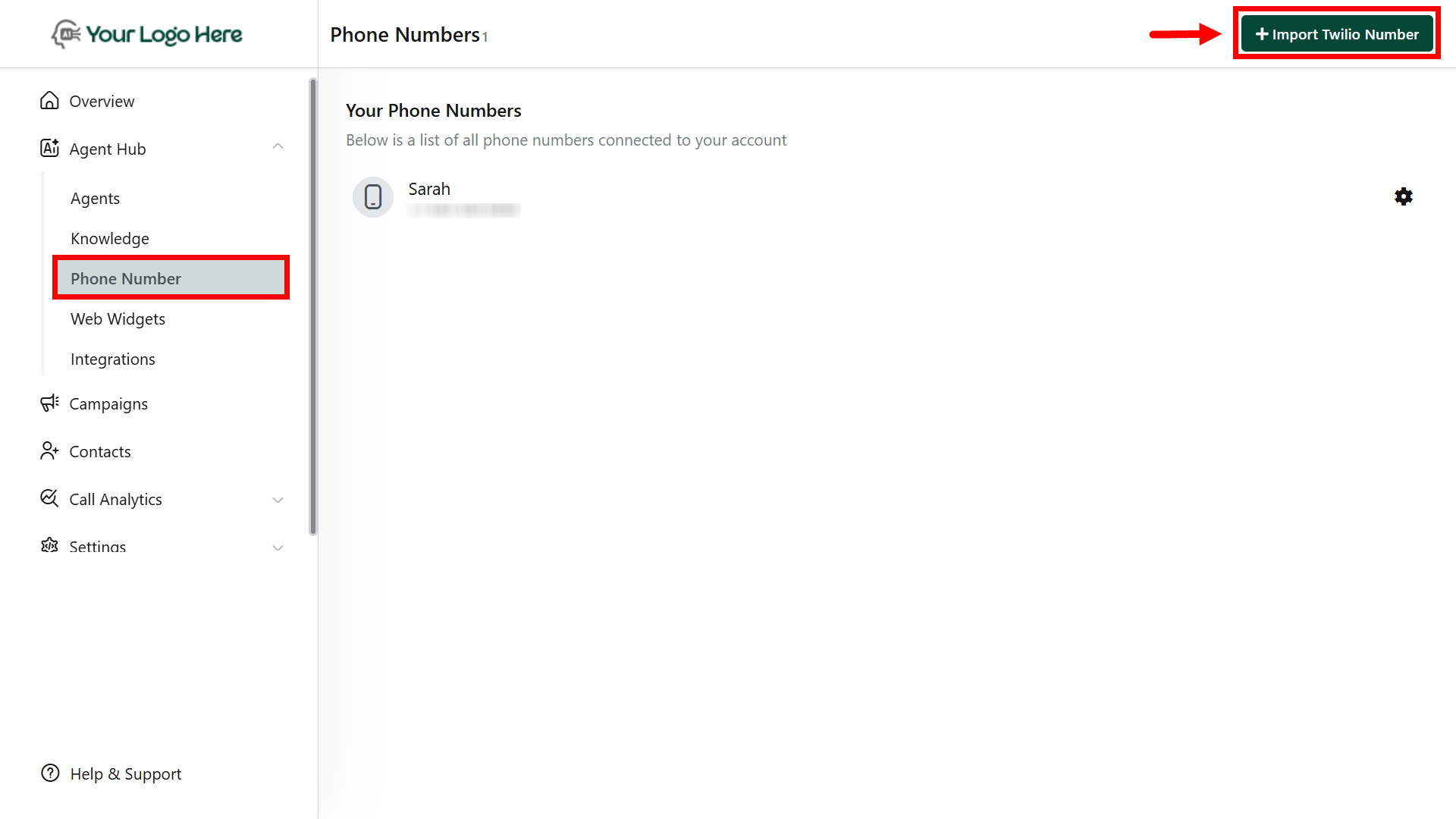
2. Navigate to **Agent Hub > Phone Number.**
3. Click "**Import Number**".
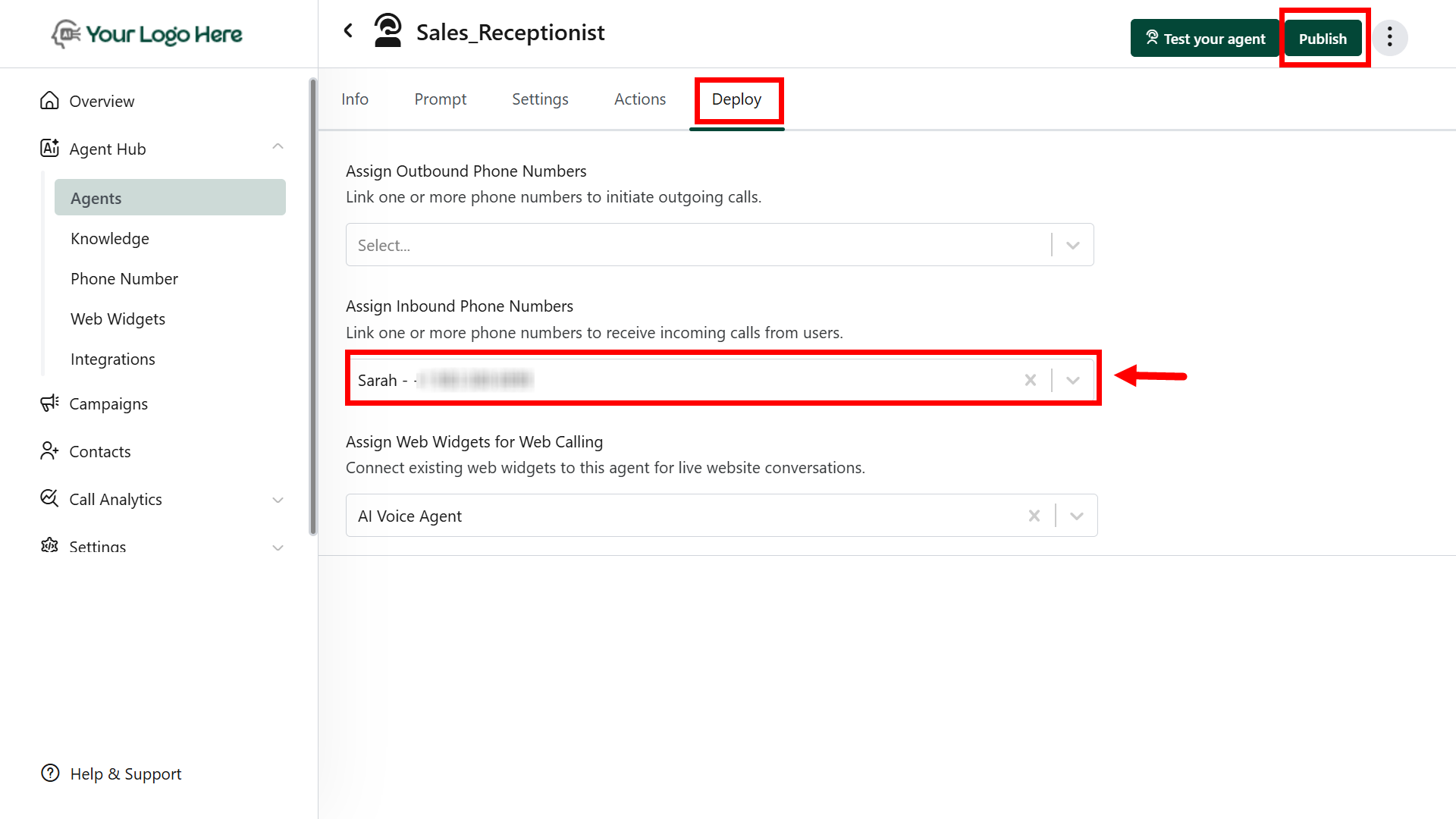
4. After import, go to the **Agent > Deploy** tab to assign the number for inbound or outbound use.
 ## **Best Practices**
* Use separate agents for inbound and outbound calls for better call handling and tracking.
* Always assign the imported number to an agent via the **Deploy** tab.
## **Best Practices**
* Use separate agents for inbound and outbound calls for better call handling and tracking.
* Always assign the imported number to an agent via the **Deploy** tab.