> ## Documentation Index
> Fetch the complete documentation index at: https://docs.voicemetrics.ai/llms.txt
> Use this file to discover all available pages before exploring further.
# Phone Numbers
> Manage phone numbers for inbound and outbound calls. Connect your AI agents to real phone numbers imported from supported providers like Twilio, enabling full calling functionality.
## **Overview**
Phone numbers are essential for enabling your AI agent to make and receive calls. You can assign different numbers for various purposes, such as:
* **Inbound calls** (customer calls your business)
* **Outbound calls** (agent initiates call campaigns or automations)
Only **Agency users** can import phone numbers.
Make sure **Agency View** is enabled in the client account footer for full access.
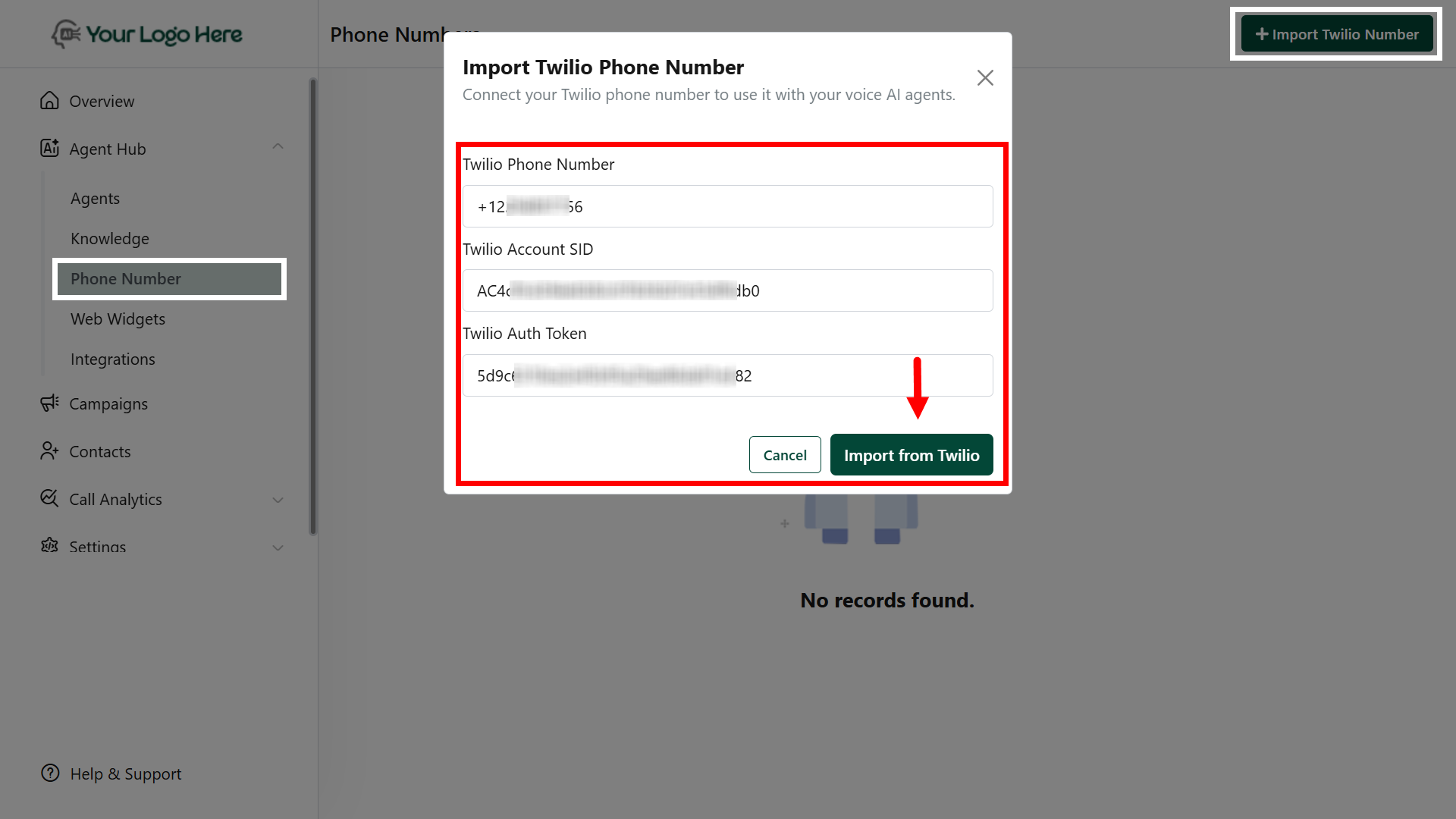
## **Import Twilio Phone Number**
Connect your Twilio phone number to use it with your Voice AI agents.
**Steps to Import:**
1. **Log in to your Client Panel**\
Go to the Phone Numbers section.
2. **Click “Import Twilio Number”**\
Start the process to link your Twilio account.
3. **Enter Your Twilio Phone Number**\
Input the number in **E.164 format**, e.g., `+14155552671`.
4. **Enter Twilio Account SID**\
Find this in your Twilio Console; it always starts with `AC…`.
5. **Enter Twilio Auth Token**\
You can locate this under **Account → Settings** in your Twilio Console.
6. **Save and Verify**\
Click **Save** to complete the import. Test the number to ensure it’s correctly linked to your Voice AI agents.
**Duplicate or already-linked numbers** cannot be imported again.
## **Best Practices**
* Use **separate numbers** for inbound and outbound agents for better tracking.
* Assign the imported number in the **Agent > Deploy** tab.
* Make sure your agent is properly configured before assigning a phone number.