> ## Documentation Index
> Fetch the complete documentation index at: https://docs.voicemetrics.ai/llms.txt
> Use this file to discover all available pages before exploring further.
# Dashboard
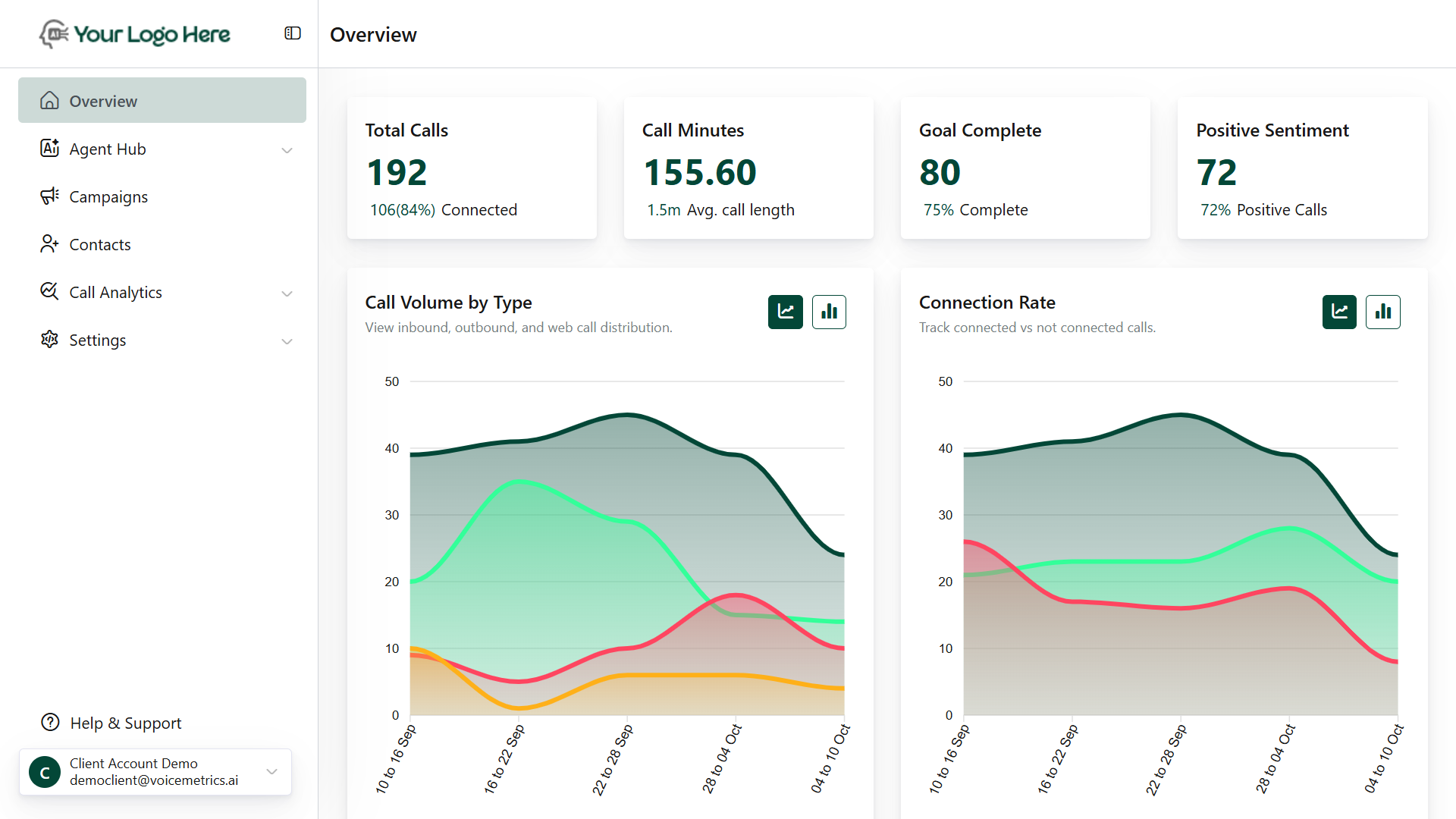
> The Overview (Dashboard) provides a real-time summary of your call performance, agent activity, and campaign outcomes. Use it to track conversations, measure results, and optimize agent and campaign performance with clarity.
## **Filters**
Quickly narrow down data using the available filters:
* **Agent Filter** – View metrics for specific agents.
* **Date Filter** – Select custom date ranges to analyze performance over time.
## **Overview Info**
The top summary cards provide a snapshot of platform performance:
* Number of total voice conversations initiated or received. *e.g., 24 Calls | 100% Connected*
* Total time spent on calls and the average call duration. e.g., 45.18 minutes | 1.9 min Avg. call
* Calls achieving intended objectives (e.g., booked appointment, captured lead).\
e.g., 12 Completed | 50% Success Rate
* Calls marked as having positive caller sentiment, as determined by AI analysis.\
*e.g., 24 Positive | 100% Positive Calls*
## **Graphical Reports**
Visual insights help understand trends at a glance
* Breakdown: Total, Inbound, Outbound, and Web calls. Tracked across selected dates
* Breakdown: Connected vs Not Connected\
Optimize retries, improve connect rate.
* Breakdown: Goal Completed vs Incomplete
* Identify what % of calls achieve their outcome
* Breakdown: Positive, Neutral, Negative
* Monitor caller satisfaction and emotional tone
## **Data Tables**
Detailed breakdown for in-depth analysis:
* Shows call end reasons (e.g., user hang-up, agent transfer, no response) Columns: Reason, Call Count, Call Minutes
* Track performance and talk time for each agent
* Columns: **Agent Name**, **Call Count**, **Total Call Minutes**