> ## Documentation Index
> Fetch the complete documentation index at: https://docs.voicemetrics.ai/llms.txt
> Use this file to discover all available pages before exploring further.
# Manage Client Account
> Easily manage client accounts with tools to control access, configure settings, and monitor activity. Track usage, licenses, and performance while keeping full administrative control.
## **What you can control**
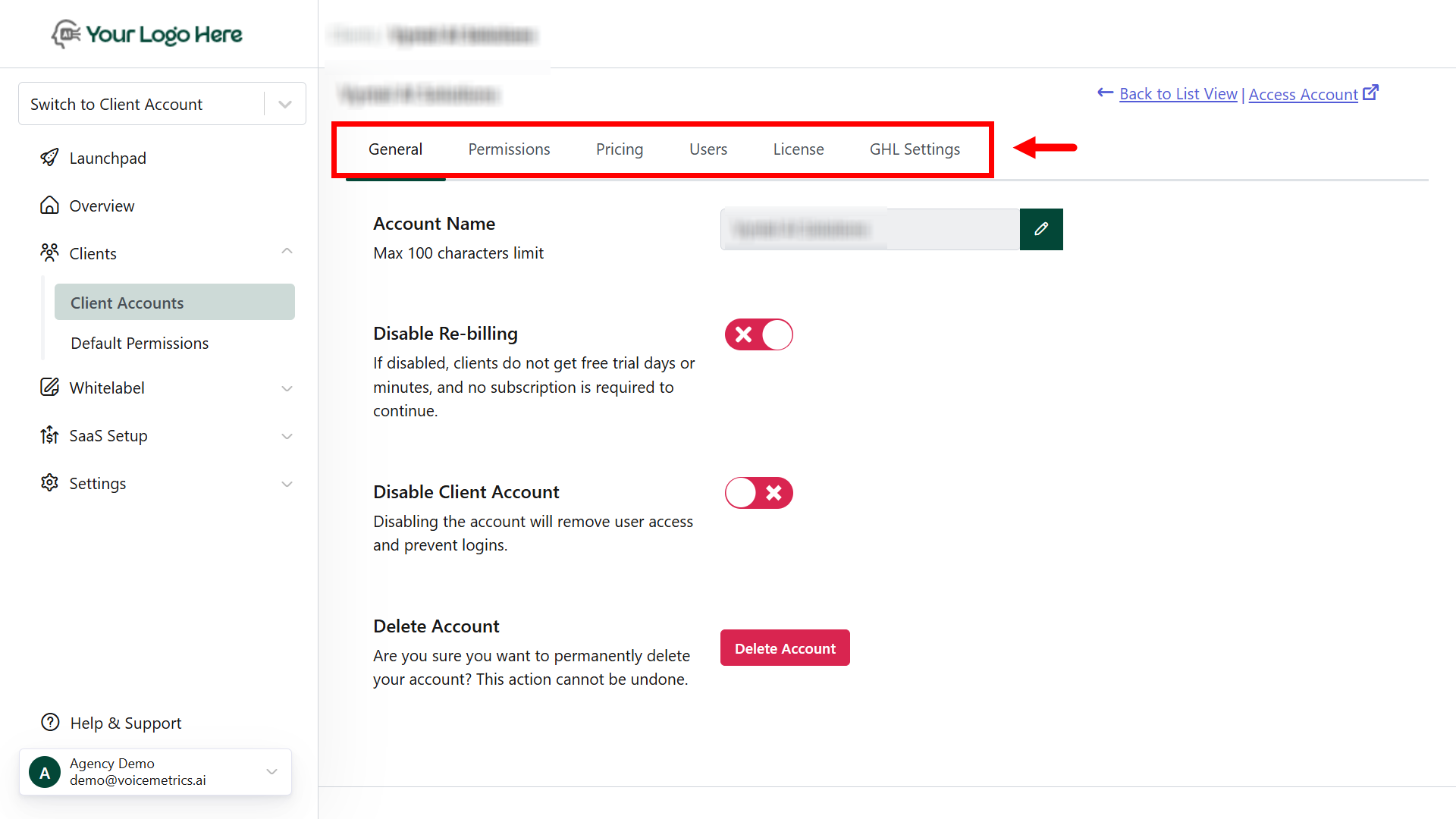
Enable or disable client accounts based on their activation status.
* Control the client's access to specific features.
* Navigate to the Permissions tab to enable or disable menus as needed.
Assign subscription plans to your client.
Clients will be required to subscribe upon the trial period's end.
Create and manage client user accounts.
You can set login credentials or send password reset links.
Set free trial options by assigning free days and free call minutes.
Useful for both trial and active customers.
* Import clients from GHL
* Sync client data automatically
* Custom Menu setup
 ## **Default Permissions**
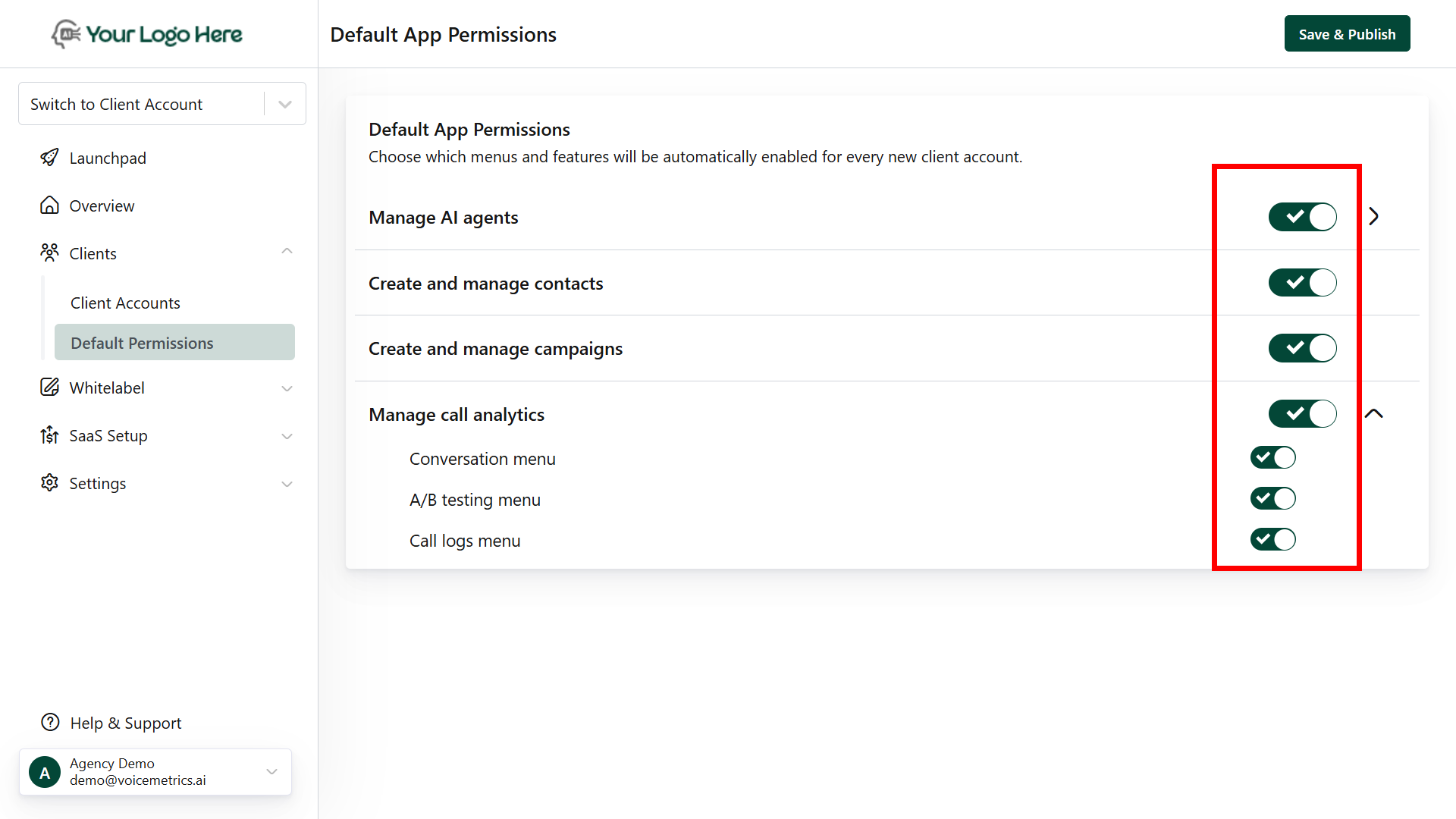
Default permissions are the standard access rights assigned automatically when a user or client account is created. They define what actions the user can perform without requiring manual configuration.
**Example:**
* A new client account may have default permissions to
* **Manage AI agents**
* **Create and manage contacts**
* **Create and manage campaigns**
* **Manage call analytics**
* Agency admins can later customize permissions to allow actions like **editing**, **deleting.**
Standard access is **assigned automatically**; it can also be customized per client.
## **Default Permissions**
Default permissions are the standard access rights assigned automatically when a user or client account is created. They define what actions the user can perform without requiring manual configuration.
**Example:**
* A new client account may have default permissions to
* **Manage AI agents**
* **Create and manage contacts**
* **Create and manage campaigns**
* **Manage call analytics**
* Agency admins can later customize permissions to allow actions like **editing**, **deleting.**
Standard access is **assigned automatically**; it can also be customized per client.
 ## **Access Client Account**
There are two ways to access a client account:
### **Switch to Client Account**
Select a client from the **dropdown** at the top left. This lets you view the account as the client sees it.
### **Access Account**
**Option 1:** Open a Client > Click Access Account at the top right for full admin access.
**Option 2:** Go to Client Accounts, tap (⋮), and access the client account.
## **Access Client Account**
There are two ways to access a client account:
### **Switch to Client Account**
Select a client from the **dropdown** at the top left. This lets you view the account as the client sees it.
### **Access Account**
**Option 1:** Open a Client > Click Access Account at the top right for full admin access.
**Option 2:** Go to Client Accounts, tap (⋮), and access the client account.