> ## Documentation Index
> Fetch the complete documentation index at: https://docs.voicemetrics.ai/llms.txt
> Use this file to discover all available pages before exploring further.
# Stripe Integration
> Unlock effortless payment management by integrating your Stripe account with the platform. This setup ensures smooth transactions, automated billing, and secure payment processing, offering a professional experience for your clients.
## **How to Connect Your Stripe Account**
**Steps:**
* Log in to your **Stripe Account**.
* Navigate to **API Settings** and generate your **Publishable Key** and **Secret Key**.
* Refer to: **How to Generate API Keys in Stripe.**
* Ensure you use **live API keys** for real transactions.
* Log in to your **Agency Account**.
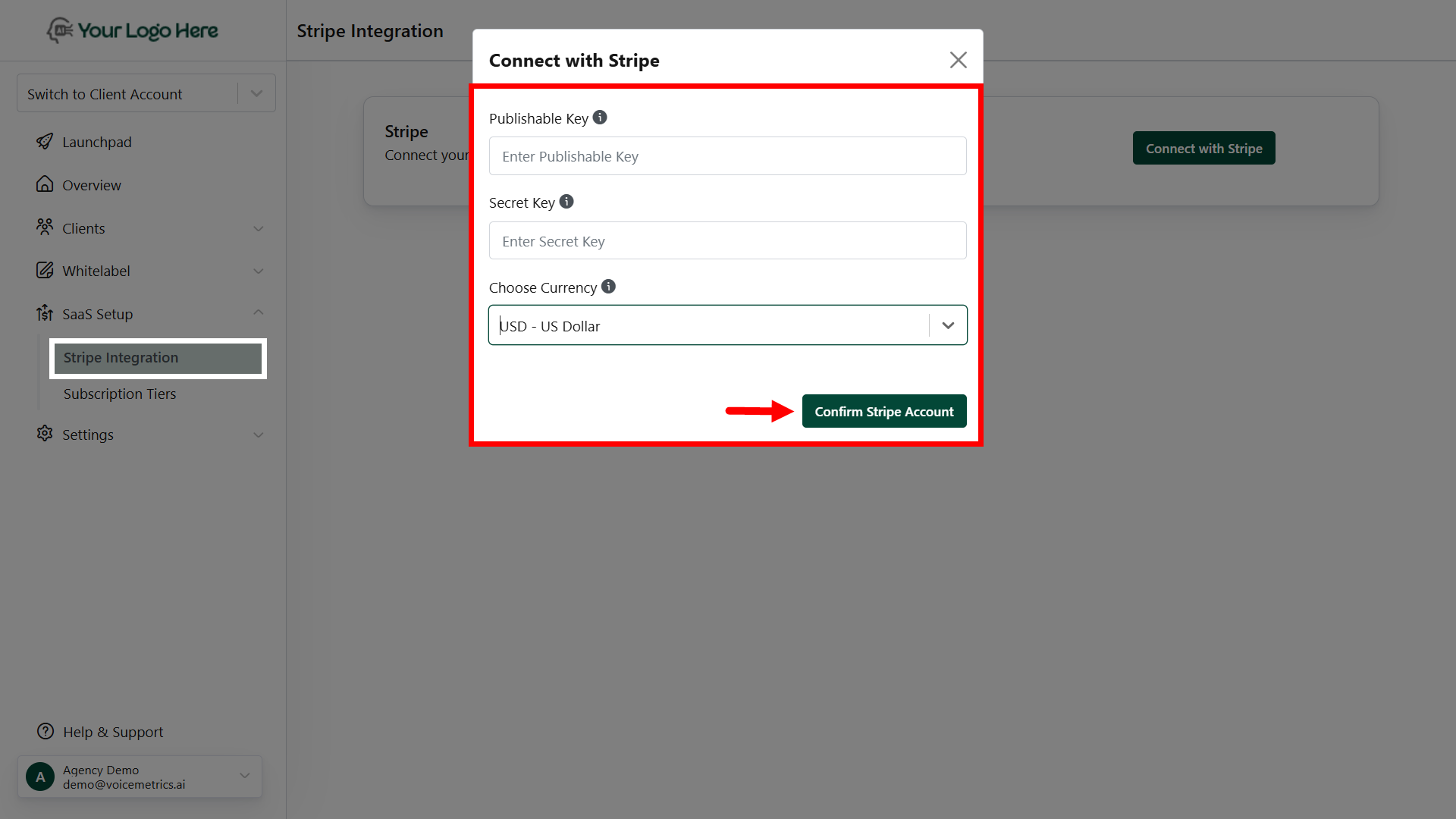
* Go to **SaaS Setup > Stripe Integration**.
* Click **Connect with Stripe** and input the Publish Key and **Secret Key** obtained
* Select your desired **Currency Type** from the dropdown menu.
* Click **Save** to complete the integration.
 By completing these steps, you'll enable a seamless payment experience for your clients while ensuring smooth financial operations.
**Important Notes**
Ensure your Stripe account is active and properly configured.
Double-check API keys to avoid integration errors.
By completing these steps, you'll enable a seamless payment experience for your clients while ensuring smooth financial operations.
**Important Notes**
Ensure your Stripe account is active and properly configured.
Double-check API keys to avoid integration errors.