> ## Documentation Index
> Fetch the complete documentation index at: https://docs.voicemetrics.ai/llms.txt
> Use this file to discover all available pages before exploring further.
# Enable Re-Billing
> Re-billing automates client subscription payments, including usage-based charges and renewals. Once enabled, the platform handles all billing processes from invoicing to payment collection — ensuring a smooth and professional experience for your clients, while freeing your agency from manual payment management.
## **Why Enable Re-billing?**
Enabling re-billing allows your clients to:
* Explore the platform within the trial period (limited days and minutes).
* Seamlessly continue by subscribing after the trial ends.
* Maintain uninterrupted usage without manual intervention.
## **How to Enable Re-billing**
You can enable re-billing in **two ways**:
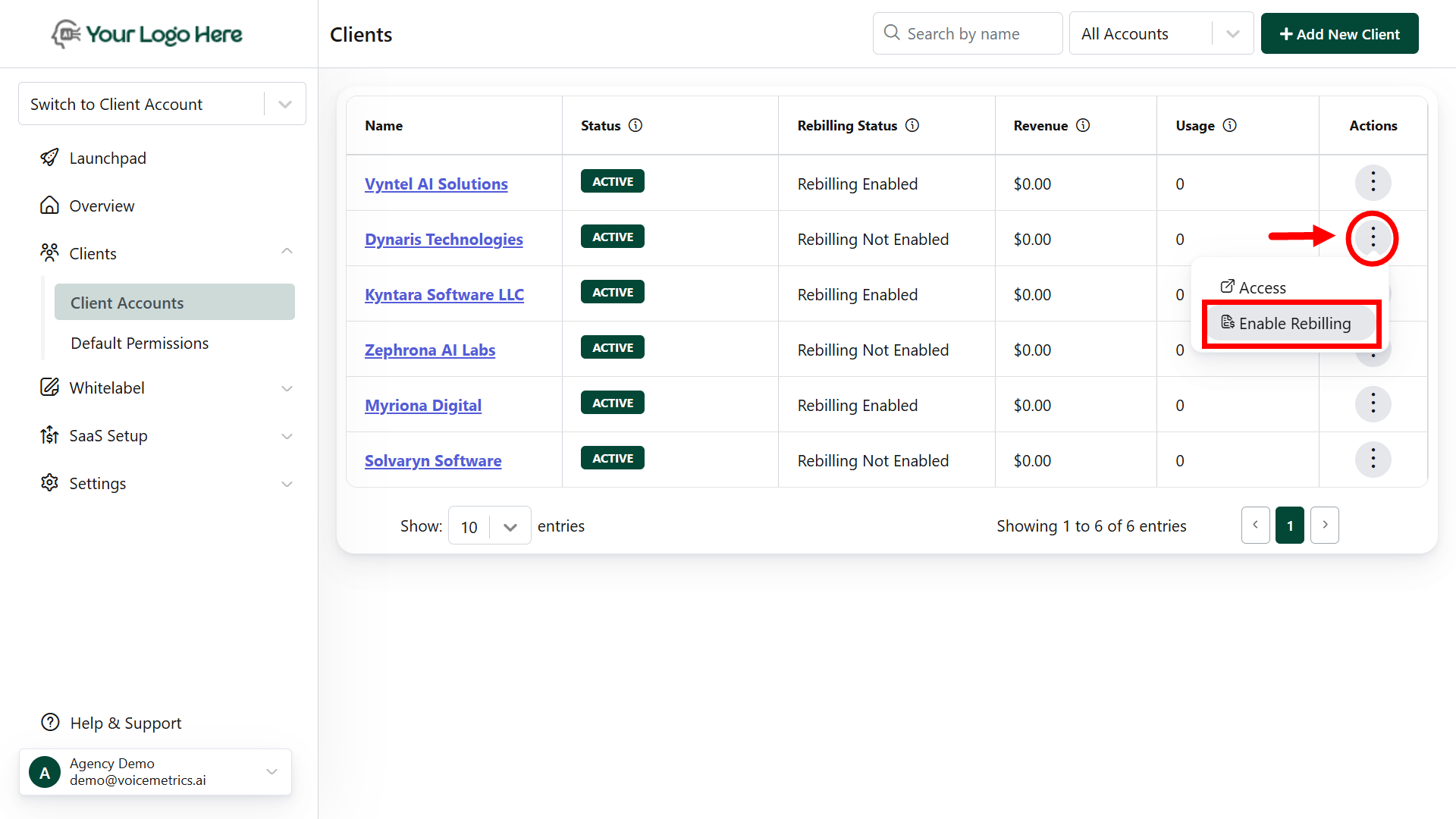
* Log in to your **Agency App**.
* Go to the **Clients** menu.
* On the right corner, tap the **kebab menu (⋮)**.
* Select **Enable Re-billing**.
 * Log in to your **Agency App**.
* Navigate to the **Clients** menu and open the targeted client.
* Under **General Settings**, toggle **Enable/Disable Re-billing**.
* Log in to your **Agency App**.
* Navigate to the **Clients** menu and open the targeted client.
* Under **General Settings**, toggle **Enable/Disable Re-billing**.
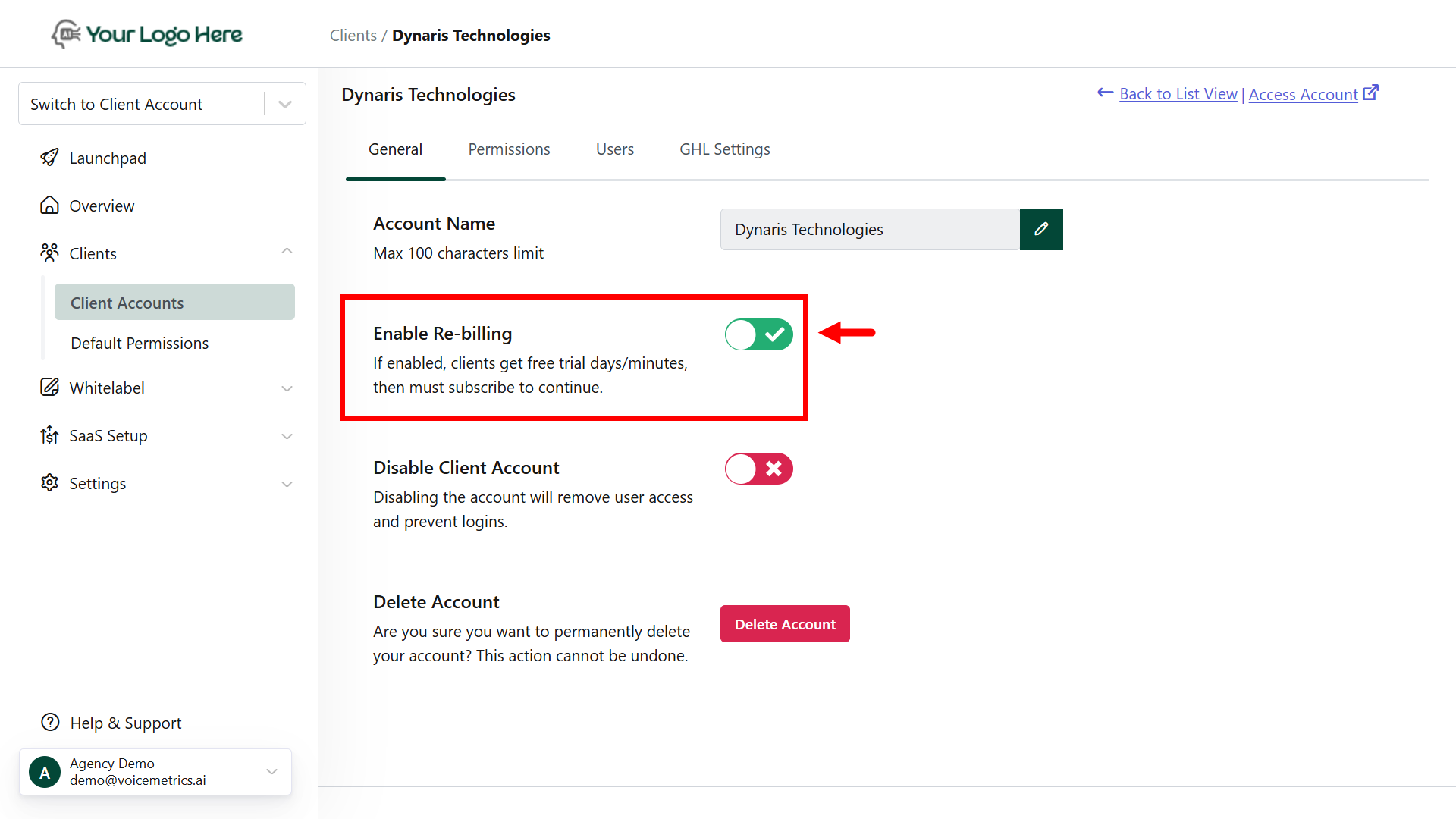 Once enabled, clients move from trial → subscription automatically.
# Re-Billing FAQ’s
**Yes.** Initially, clients can explore the platform without any restrictions. To continue using the platform within the trial period limits, enabling re-billing allows your clients to:
* Explore the platform within the trial period (limited days and minutes).
* Seamlessly continue by subscribing after the trial ends.
* Maintain uninterrupted usage without manual intervention.
**Yes.** To add a license manually, first enable re-billing for the client. Then go to the client’s License tab, click Add to assign days or minutes, and update remarks for tracking.
Once enabled, clients move from trial → subscription automatically.
# Re-Billing FAQ’s
**Yes.** Initially, clients can explore the platform without any restrictions. To continue using the platform within the trial period limits, enabling re-billing allows your clients to:
* Explore the platform within the trial period (limited days and minutes).
* Seamlessly continue by subscribing after the trial ends.
* Maintain uninterrupted usage without manual intervention.
**Yes.** To add a license manually, first enable re-billing for the client. Then go to the client’s License tab, click Add to assign days or minutes, and update remarks for tracking.