> ## Documentation Index
> Fetch the complete documentation index at: https://docs.voicemetrics.ai/llms.txt
> Use this file to discover all available pages before exploring further.
# Assign SaaS Plans
> Easily assign customized SaaS plans to your client accounts. This streamlines your client onboarding by assigning tailored SaaS subscription plans to individual accounts.
## **Pre-requisite**
* Check that you connected your **Stripe account.**
* Ensure your **subscription tiers** are set up beforehand.
* Want to create one? [Learn how to create SaaS Plans.](https://docs.voicemetrics.ai/Rebilling/createsaas)
Make sure your Client was enabled with [**Re-billing.**](https://docs.voicemetrics.ai/Rebilling/enablerebilling)
## **Steps for Agencies to Assign a SaaS Plan**
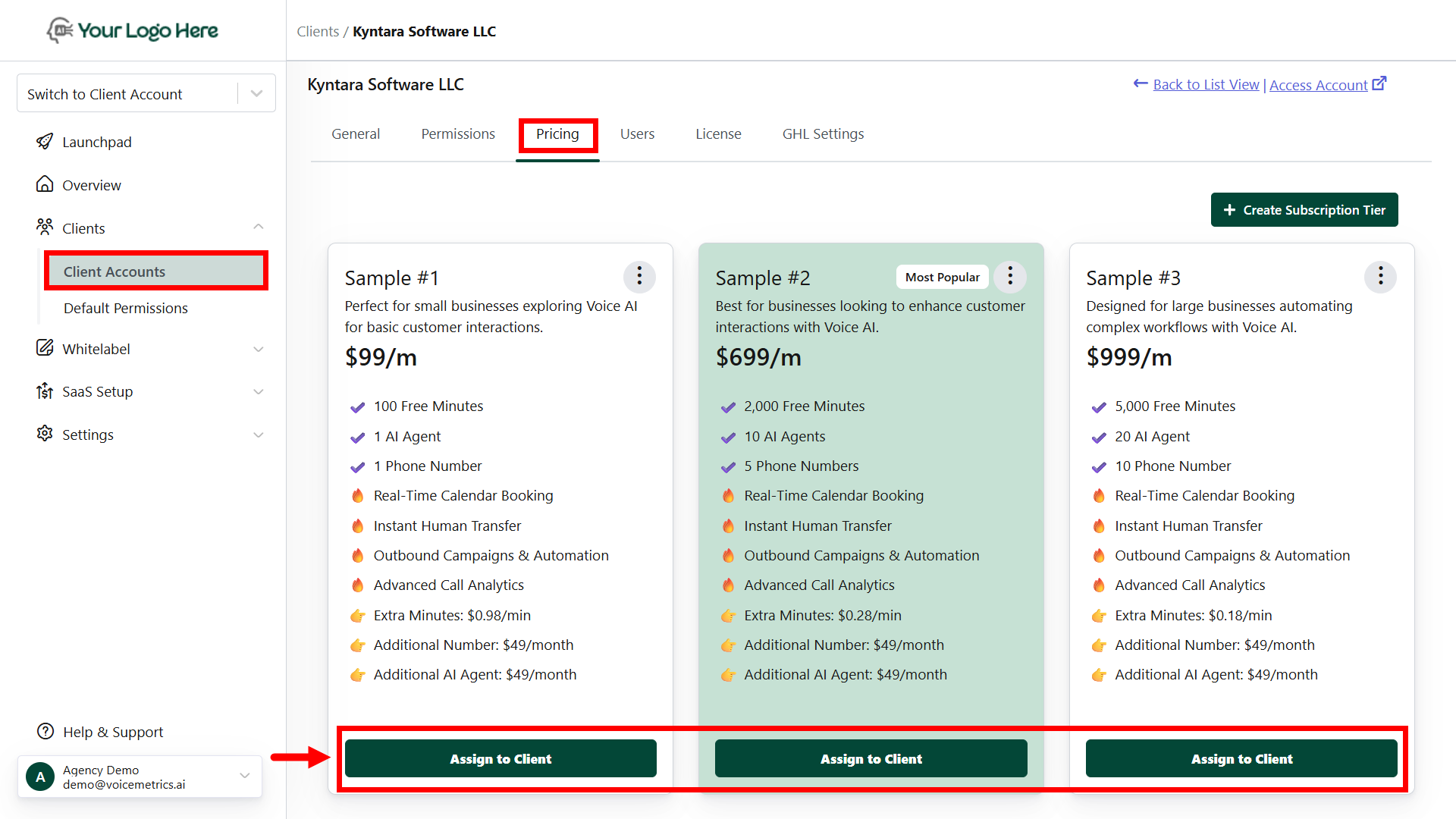
* Navigate to the "**Client Accounts**" menu.
* Click on the desired client name and open the "**Pricing**" tab.
* Tap the **"Assign to Client"** button to assign a subscription plan.
* The assigned plans will only appear in the client account's Plan & Billing section.
 ## **Steps for Clients to Access SaaS Plans**
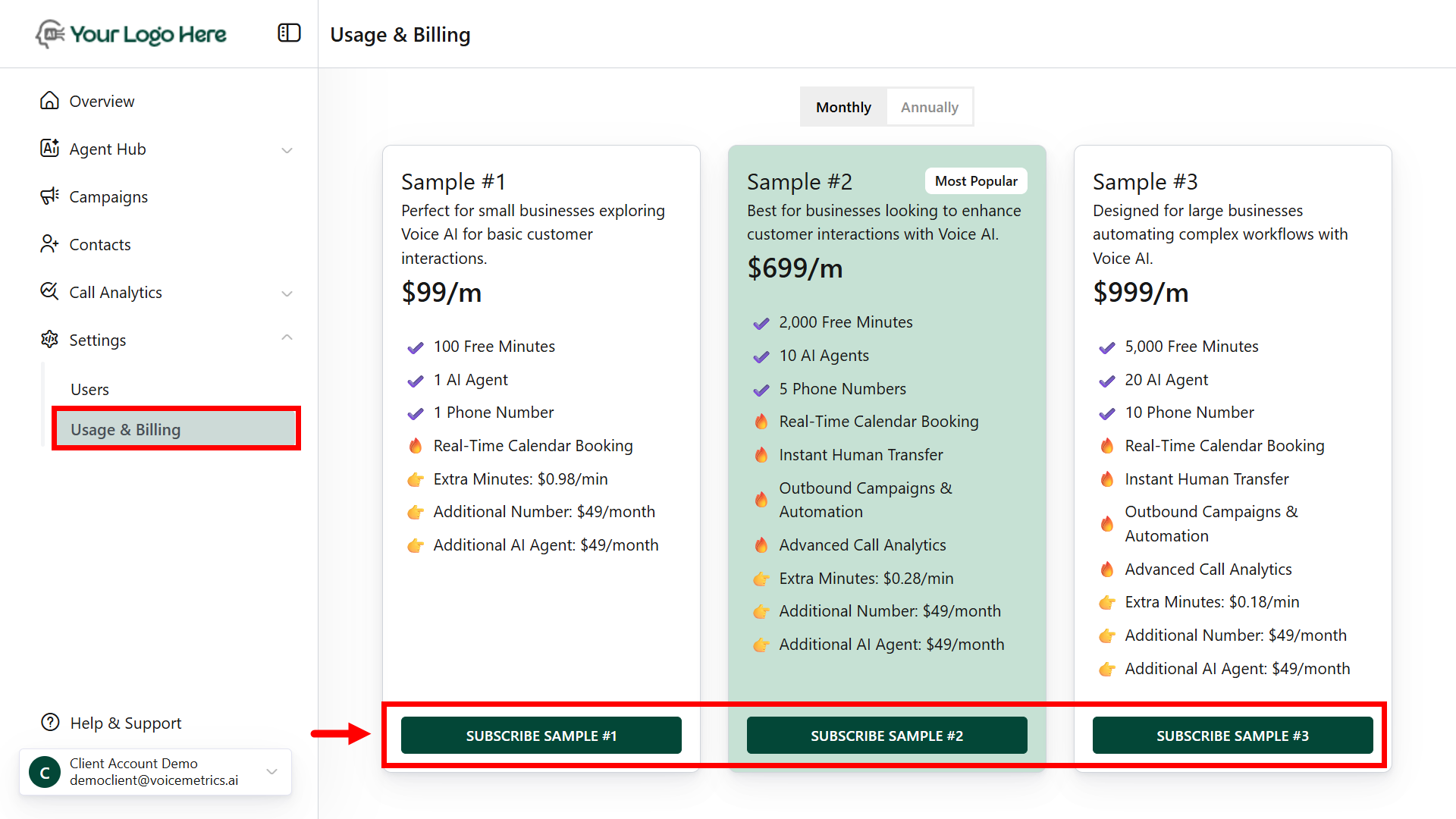
* Navigate to the **Plan & Billing** Menu
* View **available** subscription plans.
* Click "**Subscribe**" on your desired plan.
* Review subscription details before confirming.
## **Steps for Clients to Access SaaS Plans**
* Navigate to the **Plan & Billing** Menu
* View **available** subscription plans.
* Click "**Subscribe**" on your desired plan.
* Review subscription details before confirming.
 **Upon successful subscription:**
* A **Success** page will be displayed.
* Clients will receive a **confirmation email** with the payment invoice.
* Agencies will receive a **notification via email** to the billing contact.
**Upon successful subscription:**
* A **Success** page will be displayed.
* Clients will receive a **confirmation email** with the payment invoice.
* Agencies will receive a **notification via email** to the billing contact.